
E-mail Search
Email Search is one of the faceted search interfaces in SearchBlox v12.2 .
It is used to search email archives that have been indexed using an Email Collection.
To open the Email plugin, use this link in your build:
https://localhost:8443/email/index.html
Prerequisite
Before using the Email plugin, create an Email collection in SearchBlox and index your PST files into it.
Features of Email Plugin
- You can search all emails by just typing your search terms.
- You can also use faceted search with filters like From, To, Subject, and Date range.
- All different fields are combined using AND, and if you enter multiple values in the same field, they are searched using OR.
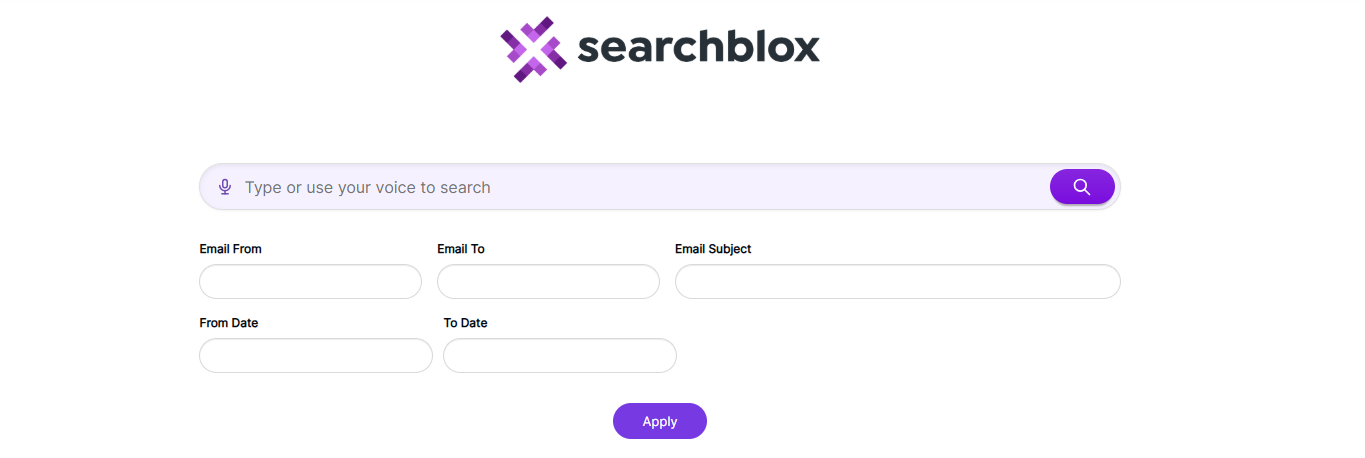
Steps to use Email Plugin
-
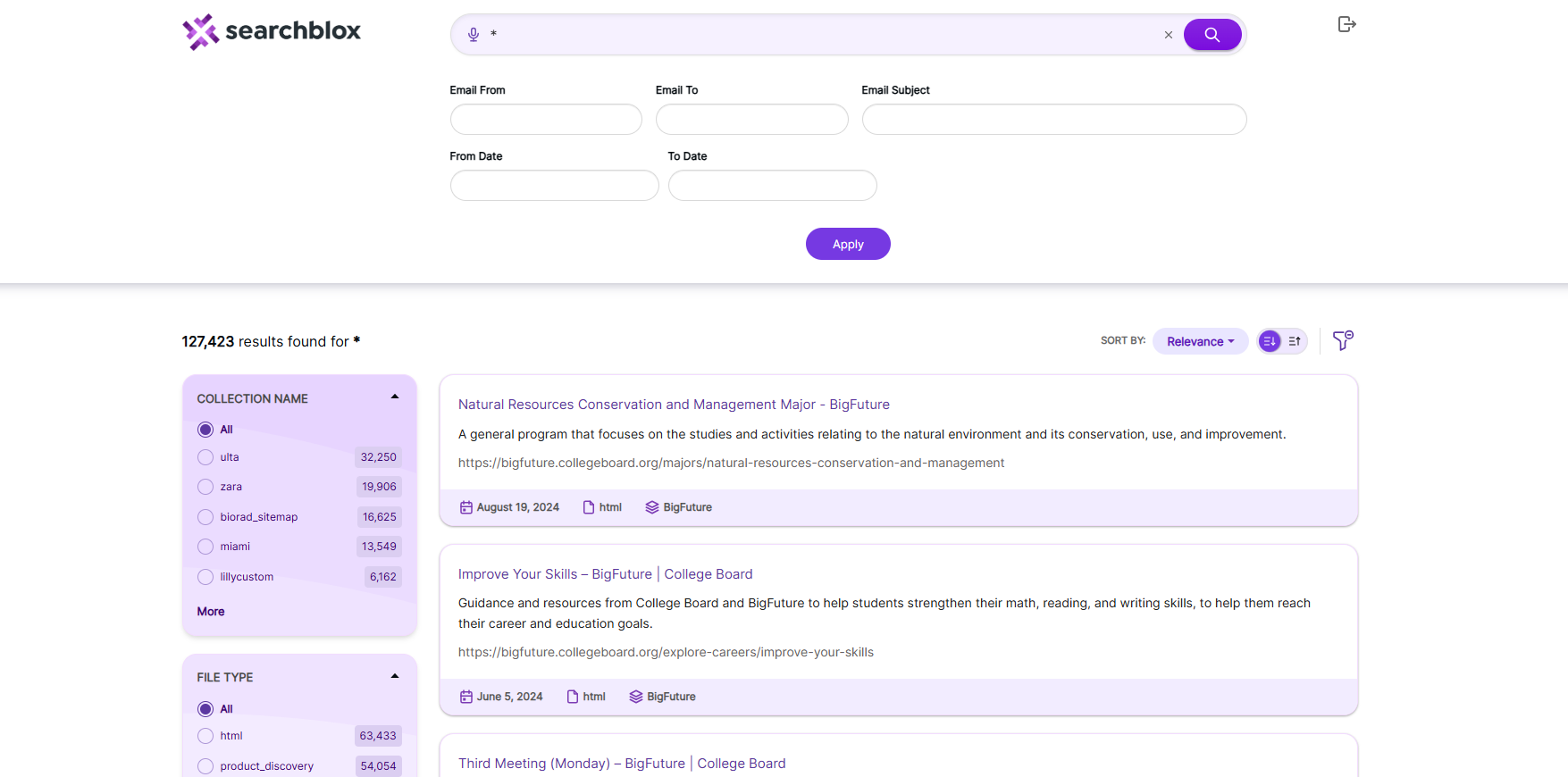
After creating and indexing the collections, you can open the plugin using the link
https://localhost:8443/email/index.htmland perform searches to see the results as shown here:
Fields in facets.js
The content of facet.js are as shown:
window.facets = {
    "facets": [{
            "field": "colname",
            "display": "Collection Name",
            "size": "10"
        },
        {
            "field": "contenttype",
            "display": "File Type",
            "size": "10"
        },
        {
            "field": "keywords",
            "display": "keywords",
            "size": "10"
        },
        {
            "field": "lastmodified",
            "display": "Last Modified",
            "dateRange": [{
                    "name": "Last 24 hours",
                    "calendar": "days",
                    "value": "1"
                },
                {
                    "name": "Past Week",
                    "calendar": "days",
                    "value": "7"
                },
                {
                    "name": "Past Month",
                    "calendar": "months",
                    "value": "1"
                },
                {
                    "name": "Past Year",
                    "calendar": "years",
                    "value": "1"
                }
            ]
        }
    ],
    "collection": [],
    "sortBtns": [{
            "field": "lastmodified",
            "display": "Sort by date"
        },
        {
            "field": "relevance",
            "display": "Sort by relevance"
        }
    ],
    "facetFiltersOrder": [
      "colname","keywords"
    ],
    "facetFiltersType": "AND",
    "sortDir": "desc",
    "matchAny": "off",
    "pageSize": "10",
    "showAutoSuggest": "true",
    "defaultCname": "",
    "adsDisplay": "true",
    "featuredResultsCount": "3",
    "predictSearch": "false",
    "predictResultSize": "3",
    "customDateDisplayText":"Custom",
    "customDateEnable":"true",
    "relatedQuery": true,
    "relatedQueryFields": {
        "apikey": "",
        "field": "content",
        "operator": "and",
        "limit": "5",
        "terms": "10",
        "type": "phrase",
        "col": ""
    },
    "dataToBeDisplayed": {
        "1": {
            "title": "Title",
            "description": "Description"
        },
        "other": {
            "description": "Description"
        },
        "displayAll": true
    },
    "tune": {
        "enable": "true",
        "tune.0": "5",
        "tune.1": "3",
        "tune.2": "2",
        "tune.3": "5",
        "tune.4": "180",
        "tune.5": "10"
    },
    "defaultType": "",
    "pluginDomain": ""
};- If you want to use a meta field as a facet, you must add it in mapping.json. For CSV, database, MongoDB, and AWS collections, you must update the correct file: csv.json, jdbc.json, mongodb.json, or amazonS3.json, all located in ../webapps/ROOT/WEB-INF/.
- If you want to add a number or date field as a facet, update it in mapping.json for web and file collections. For CSV, database, MongoDB, and AWS collections, update the same files: csv.json, jdbc.json, mongodb.json, and amazonS3.json in ../webapps/ROOT/WEB-INF/. ref: Custom Fields in Search
The description of the fields in the preceding js file is provided in the following table:
| Field | Description |
|---|---|
| facets | Facets do not work in tabbed search, so changes here will have no effect in that mode. |
| collection | Pick which collection numbers to use. You can add more than one by separating them with commas. |
| SortBtns | Add the “Sort By” options for sorting the results. |
| facetFiltersOrder | Decide the order in which the facet filters are shown. |
| sortDir | Choose the sort direction: ascending or descending. |
| pageSize | Set how many results should appear on each page. |
| showAutoSuggest | Turn the AutoSuggest feature on or off. |
| defaultCname | Choose the default collection to search first. |
| adsDisplay | Turn featured results (ads) on or off. |
| featuredResultsCount | Set how many featured results to show. |
| predictSearch | Turn on predicted search results. |
| predictResultSize | Set options for how many predicted search results to display. |
| customDateDisplayText | Change the label for the custom date filter. |
| customDateEnable | Turn the custom date filter on or off. |
| relatedQuery | Enable or disable related queries (default is true). |
| relatedQueryFields | If you want related queries in search results then specify the API key within the field. Also you can limit it based on collection by giving specific column number. "apikey": "BFC82BE93A351C018CB27C32E1138047", "field": "content", "operator": "and", "limit": "5", "terms": "10", "type": "phrase", "col": "" |
| dataToBeDisplayed | For CSV or database collections, list the fields to show in table format. If "displayAll": true, all fields are shown. |
| tune | Helps improve search relevancy. Enable by setting "enable": "true". |
| defaultType | Sets the search operator: AND or OR (default is OR). |
| pluginDomain | The SearchBlox domain from which the plugin should get search results. |
The Email plugin filters — From, To, and Subject — only work with an Email collection, as these fields are available exclusively in Email collections.
Updated 21 days ago