
Confluence Data Source
The Confluence Data Source lets you index content from your Atlassian Confluence into a SearchBlox collection, allowing you to search spaces, pages, blogs, and attachments directly within SearchBlox.
Configuring SearchBlox
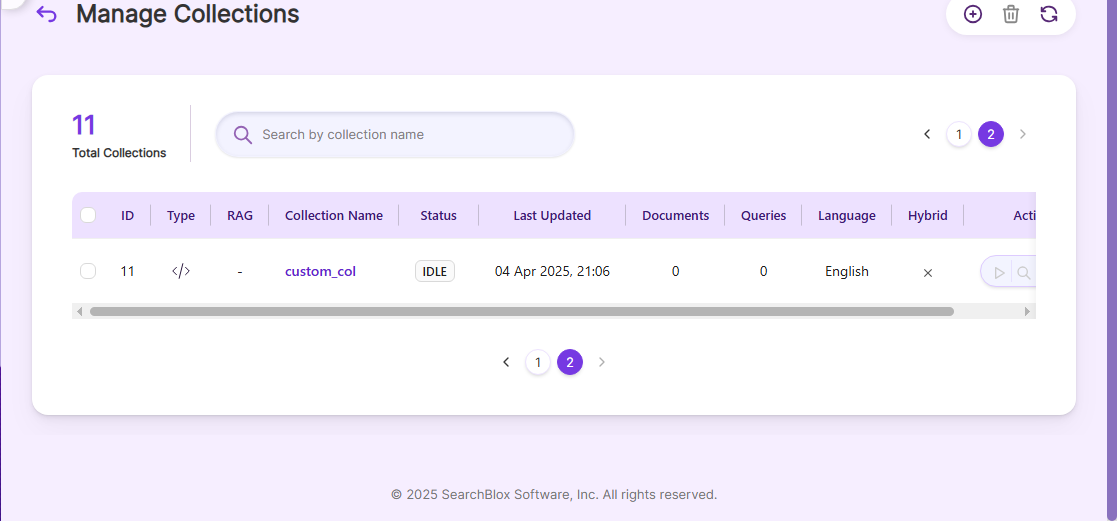
Before using the Confluence Data Source, make sure SearchBlox is installed and a Custom Collection is created.
Prerequisites
For Windows:
-
Download zoneinfo.zip into any directory (preferably C drive).
https://sbgoclient.s3.amazonaws.com/confluence/confluence_refresh/zoneinfo.zip -
Add a system variable named ZONEINFO, and the value should be the path of zone info zip.
For example, System variable name ZONEINFO and value= C:\zoneinfo.zip -
Save the Environment variable.
Linux
-
Download zoneinfo.zip into /usr.
https://sbgoclient.s3.amazonaws.com/confluence/confluence_refresh/zoneinfo.zip -
Go to bash_profile file using the following command:
1. vi ~/.bash_profile -
Add the following in the file and save:
export ZONEINFO=/usr/zoneinfo.zip
Note:These steps are mandatory for the connectors to refresh the data. The preceding setup has to be done before running fresh connector.
Configuration details of Confluence Fresh Run Data Source
Note:In Linux, make sure that necessary permissions have been provided to the folder /opt by using the CHMOD command for writing log files and executing jar files.
| username | User name for your Confluence account. |
| password | Encrypted password for your Confluence account. |
| data-directory | Folder where data will be stored. Make sure it has write permission. |
| api-key | SearchBlox API Key |
| colname | Name of the Custom Collection in SearchBlox. |
| url | SearchBlox URL |
| confluenceurl | URL of your Confluence instance. |
| exclude-formats | File formats to exclude (use extensions with a dot, e.g., .war, .zip). Regex is not allowed. |
| exclude-folders | Folders in Confluence to exclude. Provide full folder names (e.g., folder1, folder2). Regex is not allowed. |
| max-folder-size | Maximum size of a static folder in MB before it is swept. |
| log-file-maxSize | Maximum size in MB for a log file before a new file is created. |
| og-file-maxBackups | Number of backup files to keep before old logs are deleted. |
| log-file-maxAge | Number of days after which log files should be deleted. |
| Url, servlet url & delete-api-url: | Make sure the port number is correct. For example, use 8443 if SearchBlox runs on port 8443. |
Updated 14 days ago