
Collection Encryption
Collection Encryption allows SearchBlox to encrypt indexed content and metadata fields, ensuring sensitive information remains secure while still being searchable. Encrypted content cannot be viewed directly in search results or Elasticsearch — only users with Sensitive access can view and decrypt it.
- SearchBlox can encrypt content and specific meta fields.
- To enable encryption, a special license from SearchBlox is required, available only to Platinum Support customers.
- Please contact [email protected] for the license key.
Content Encryption
-
Content Encryption is supported for all collection types except Amazon S3 Collection.
-
The content field indexed from a webpage or file in HTTP/File Collection will be encrypted.
-
Content from PST files is also encrypted in Email Collection.
-
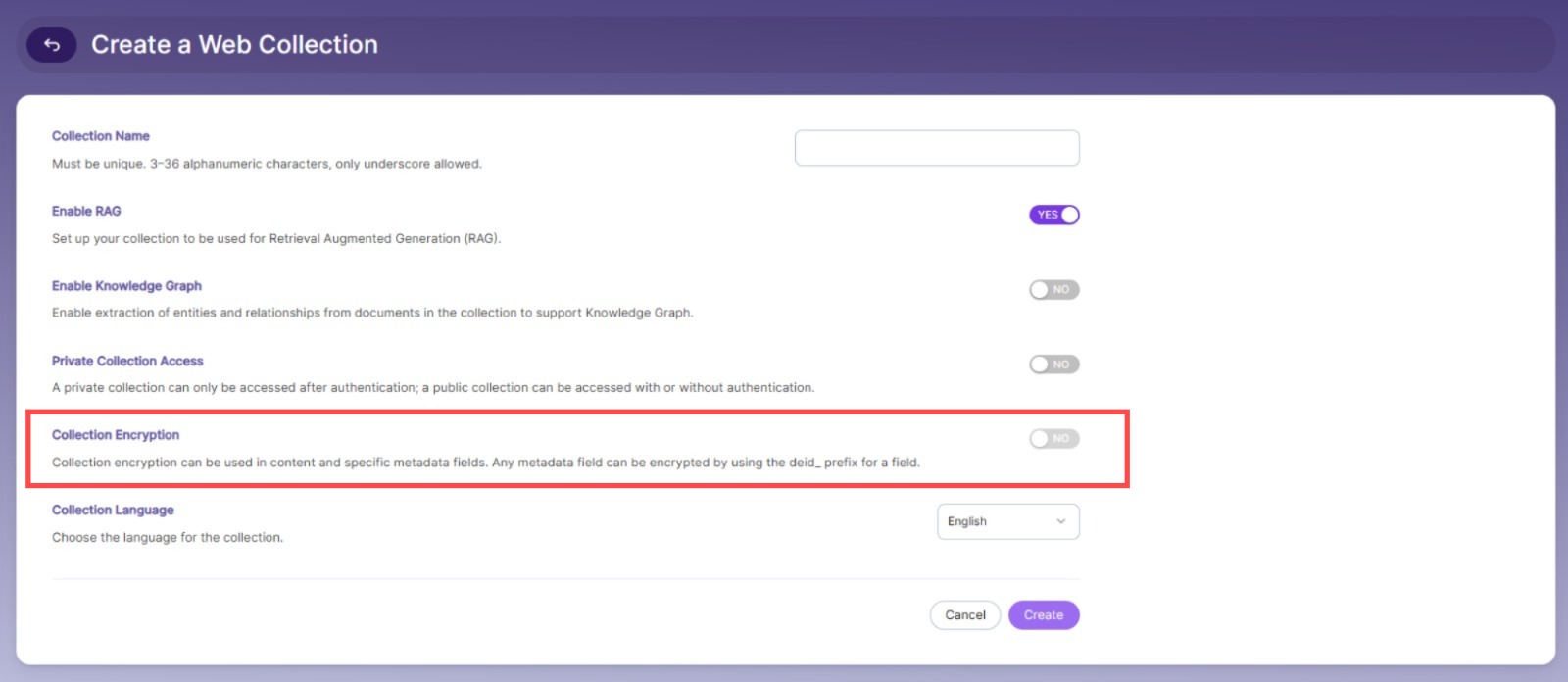
For sensitive information (e.g., credit card info, account details) that should remain secure but searchable, enable the encryption option while creating the collection.
-
Encrypted content cannot be viewed in search results or directly in Elasticsearch.
-
Searching for a term in encrypted content will still display the URL or document in results.
-
To encrypt content:
- Enable the encrypt option while creating a collection
- Index the collection
 Metadata Field Encryption
 -
Metadata fields can be encrypted in CSV, Custom, and Database Collections.
-
Any sensitive information can be secured by encrypting it in these collections.
-
To encrypt a field:
- Enable the encrypt option while creating the collection
- Prefix field names with deid_ (e.g.,
deid_ccnumber) in SQL, CSV, or REST API - Index the collection
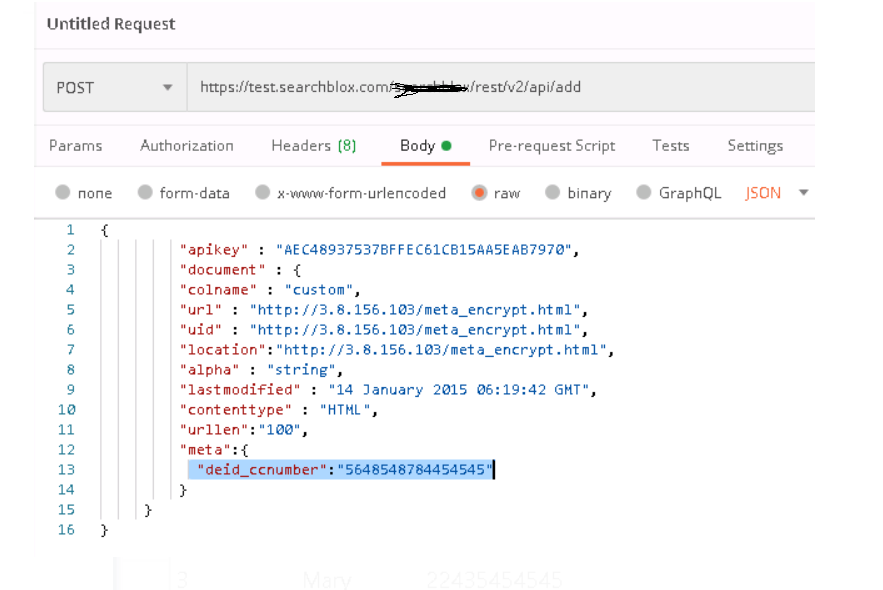
deid field in REST API request for Custom Collection
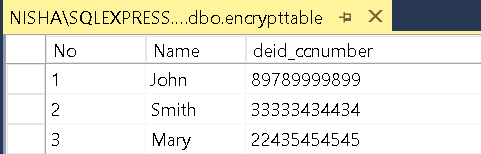
deid field in table for Database Collection
Steps to Enable Encryption for Content
-
Upload the special encryption license in Administration > License.
-
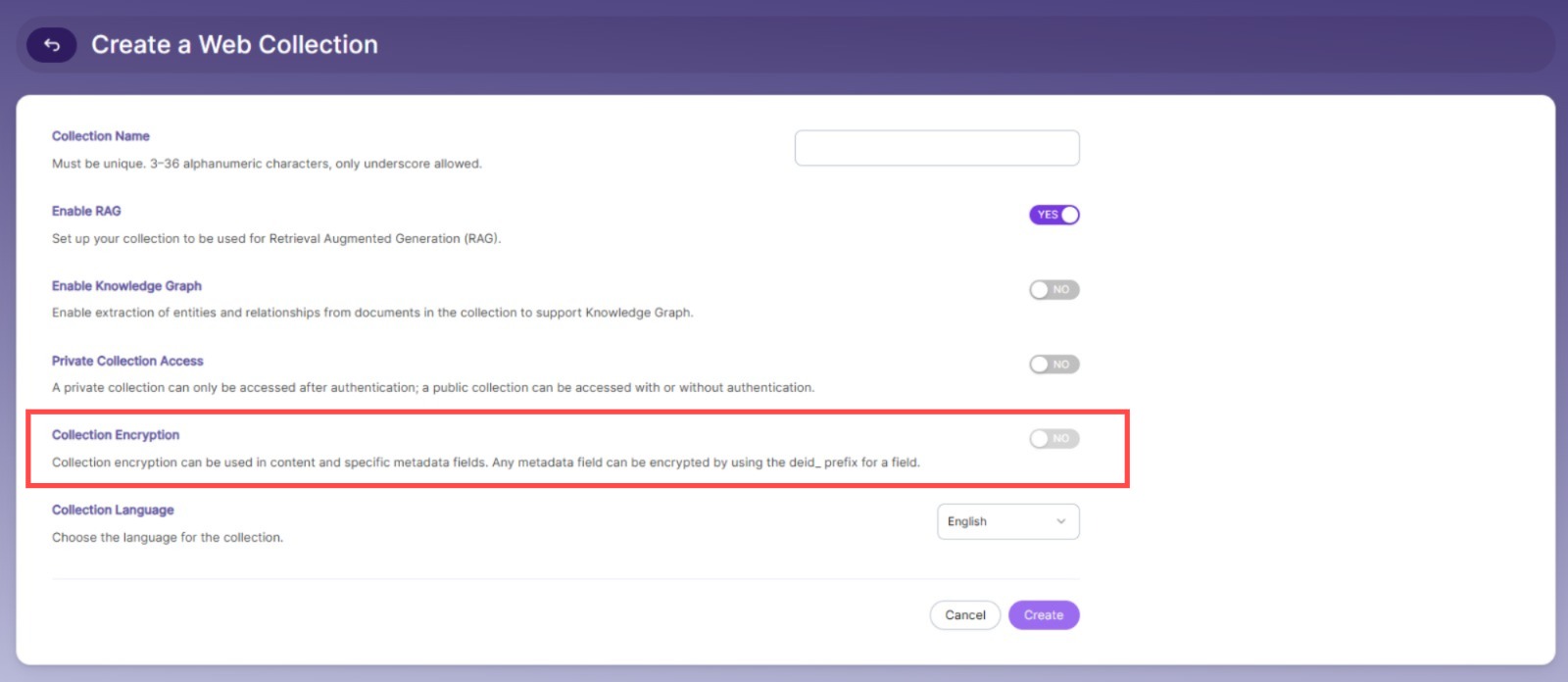
Enable the Encryption option while creating a collection.
-
Index the collection.
-
For HTTP, File System, and Email Collections, the content and context will be encrypted and viewable in Elasticsearch.
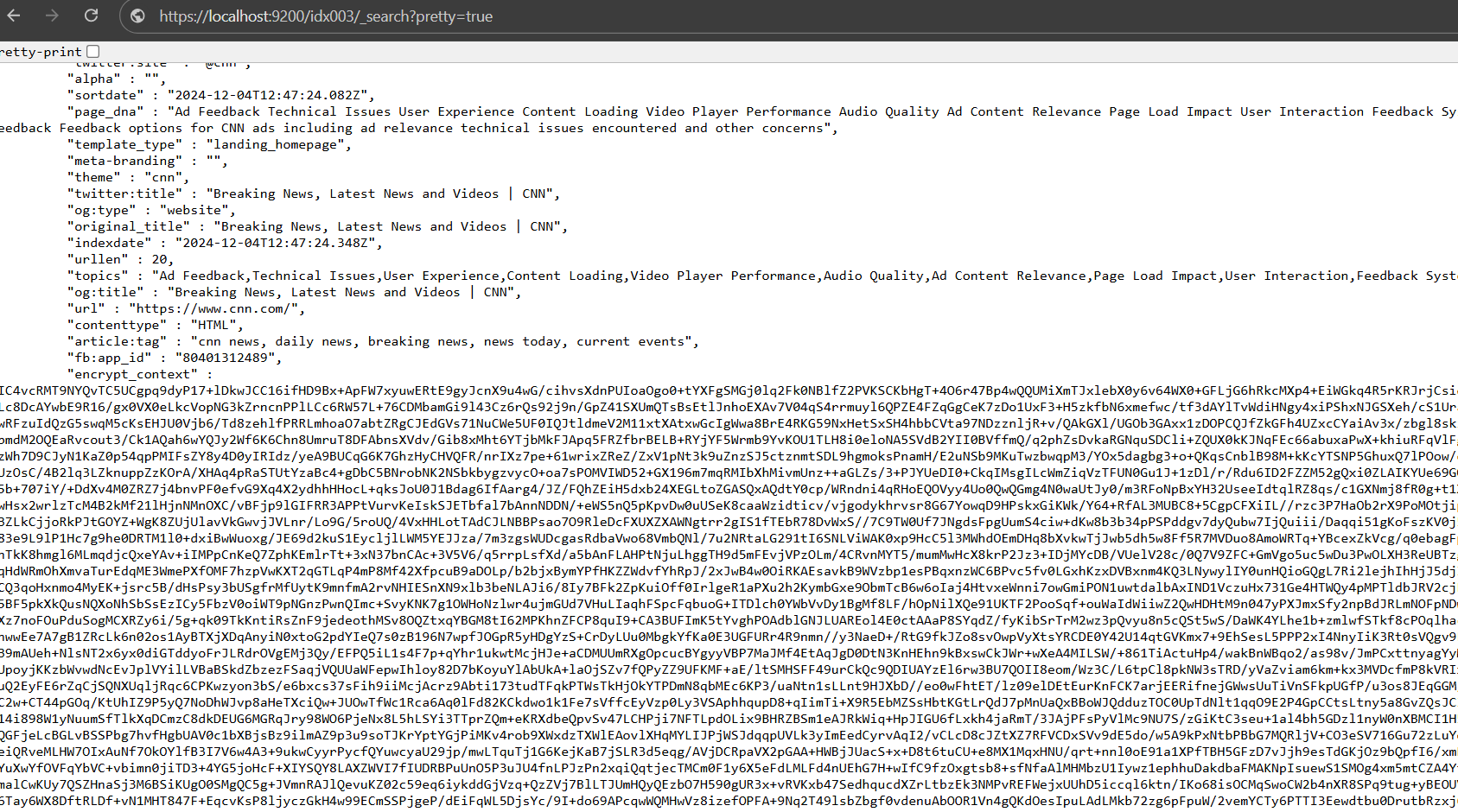
- For Custom, CSV, and Database Collections, the meta fields with prefix deid_ will be encrypted.
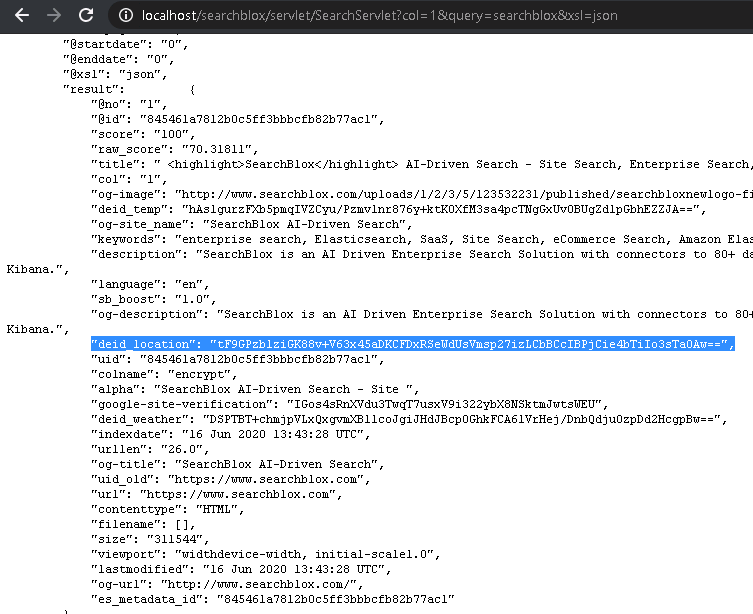
- Encrypted content and meta fields are visible only to Sensitive users in SearchBlox Realm or LDAP Realm if secure search is enabled.
Encrypted Meta Field for Custom Collection
- Encrypted metadata fields in a Custom Collection must start with deid_ and be sent via updatemetadata or add API requests.
- Please refer to a sample request updatemetadata as shown.
{
         "apikey" : "31372006F71D0A874BBE0F02894C7E0A",
         "document" : {
         "colname" : "test",
         "url" : "http://www.searchblox.com",
         "meta":{
           "deid_location":"San Francisco",
           "deid_temp":"23",
           "deid_weather":"sunny
         }
     }
 }
Sensitive Users
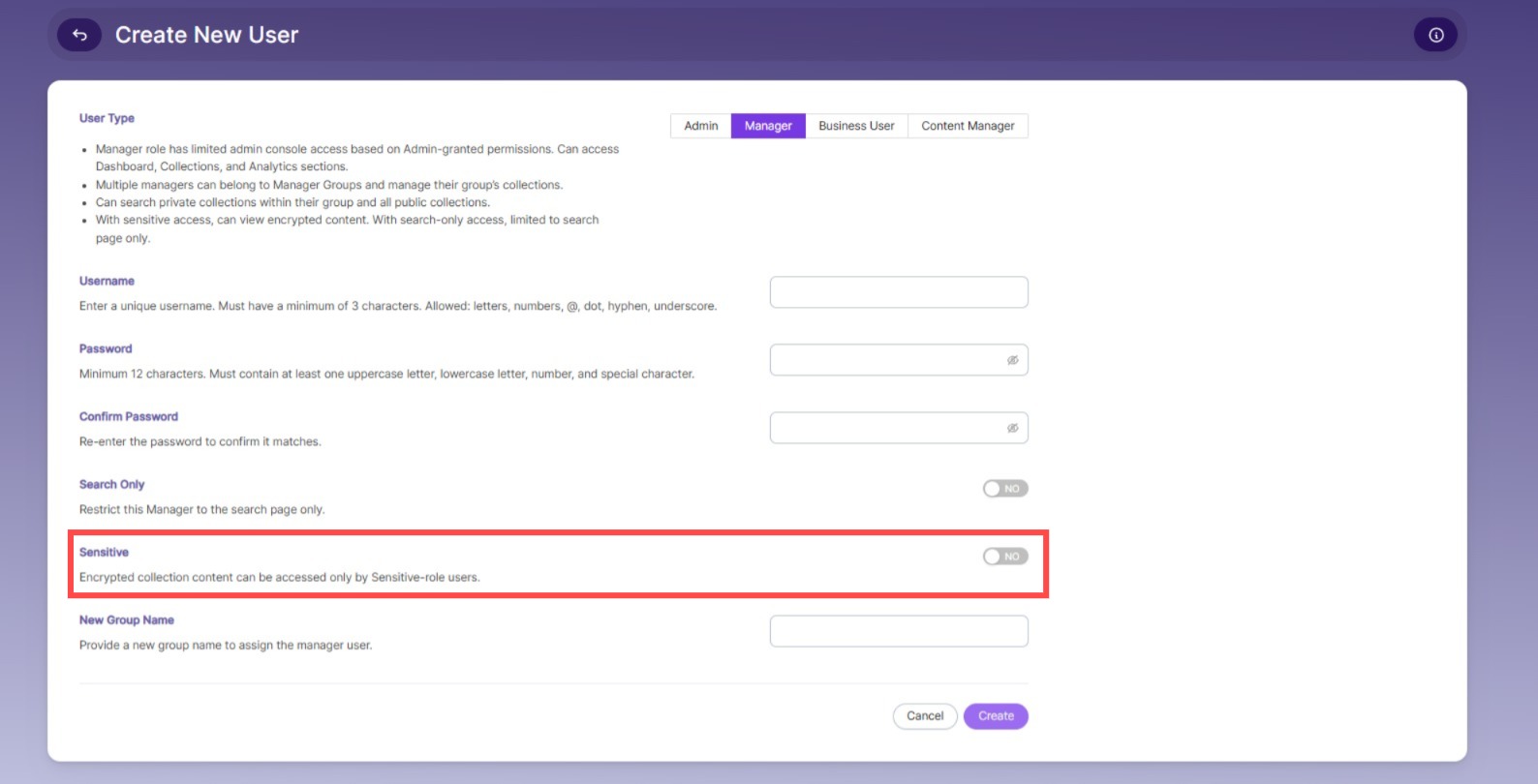
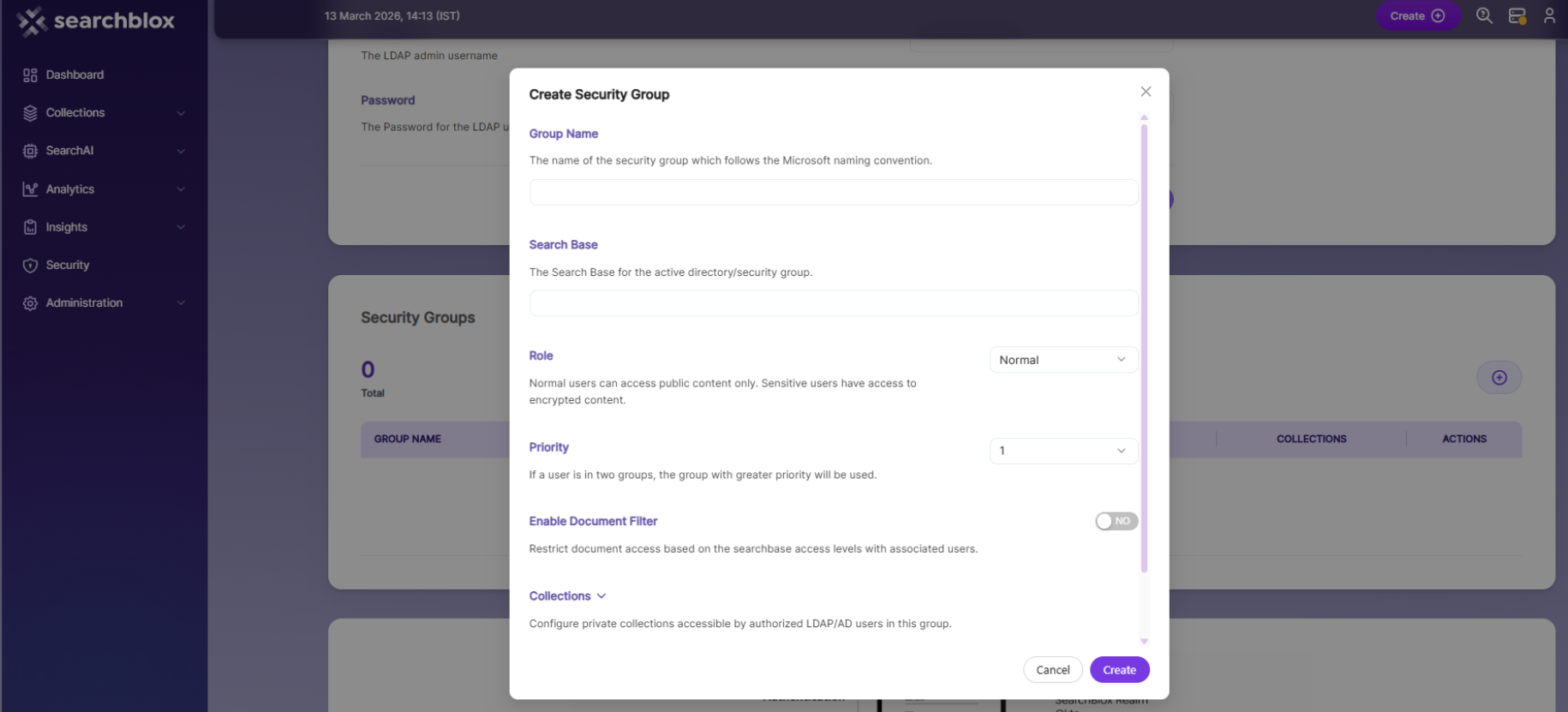
- In SearchBlox 10.8, you can enable or disable sensitive data access while creating users in SearchBlox Realm or LDAP Realm.
SearchBlox Realm
- In SearchBlox Realm, you can enable sensitive search for a Manager user by selecting the Sensitive option while creating the useras shown in the screenshot:
LDAP Realm
-
In LDAP Realm, you can enable sensitive search for a user in a group by assigning the Sensitive role while adding the security group as shown in the screenshot:
Best Practices
- To encrypt the entire content, use HTTP, File Collection, or Email Collection.
- To encrypt specific fields, use Custom Collection, CSV Collection, or Database Collection by adding the prefix deid_ to the field name.
- Only Sensitive users can view and decrypt the encrypted content, so create Sensitive users when creating encrypted collections if you need access to content or metadata.
Updated 23 days ago