
Context and Highlighting
This section explains how to control the size of search context and titles displayed in results, and how to enable hit highlighting so matching terms are visually marked in search results.
Configuring Size of Search Context and Title
- In SearchBlox, you can set the size of context, title, and the number of fragments shown in search results.
- Open <SEARCHBLOX_INSTALLATION_PATH>\webapps\ROOT\WEB-INF\relevance.yml and configure the size for description, context, and title as needed.
- You can increase or decrease these values based on your requirements. After making changes, restart SearchBlox for them to take effect.
- The snippet value must be between 20 and 1000.
titleSnippet: 100
titleFragments: 3
contextSnippet: 200
contextFragments: 3
Highlighting in Search Results
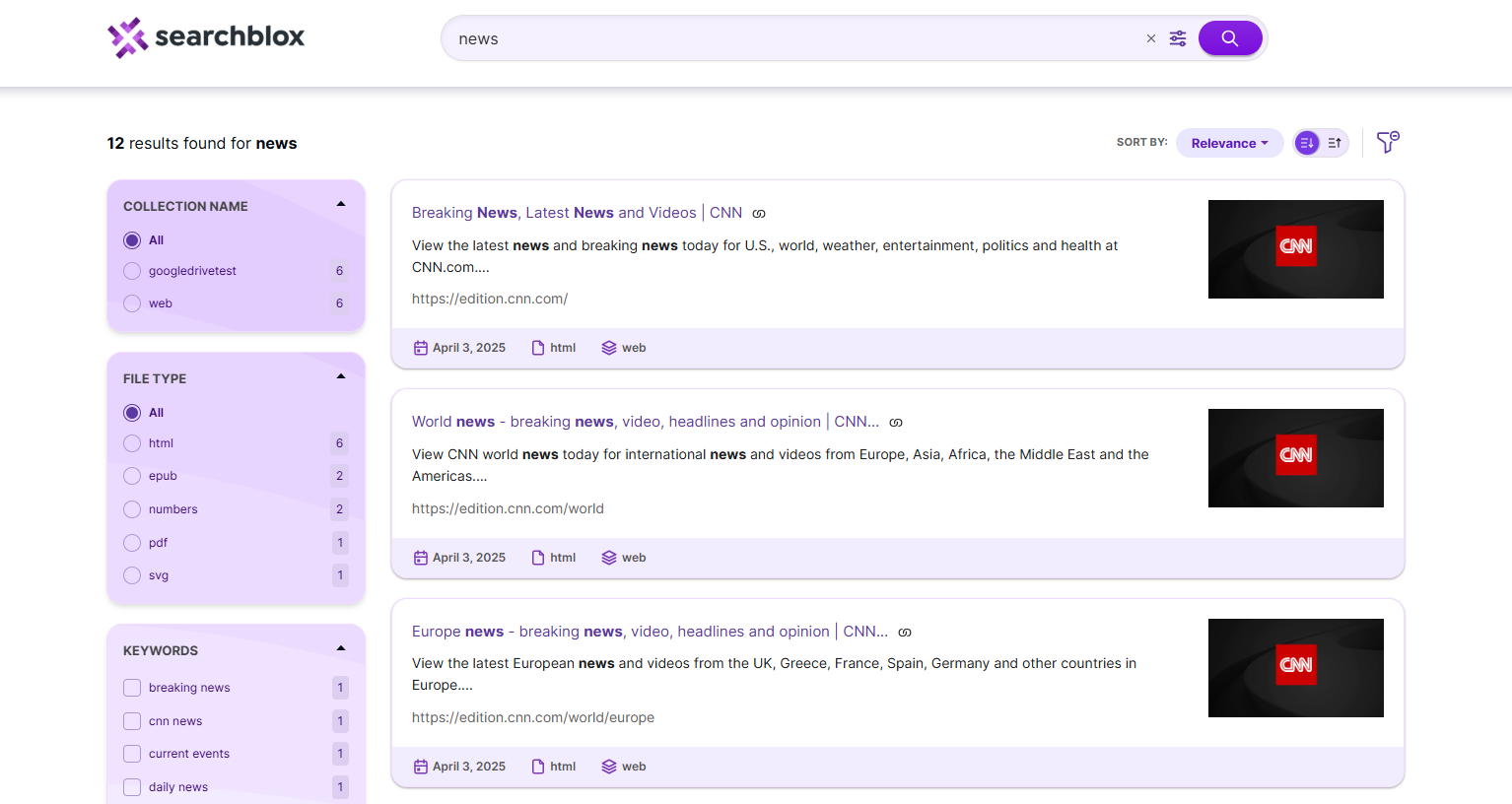
- SearchBlox provides hit highlighting, which highlights the matching terms in search results.
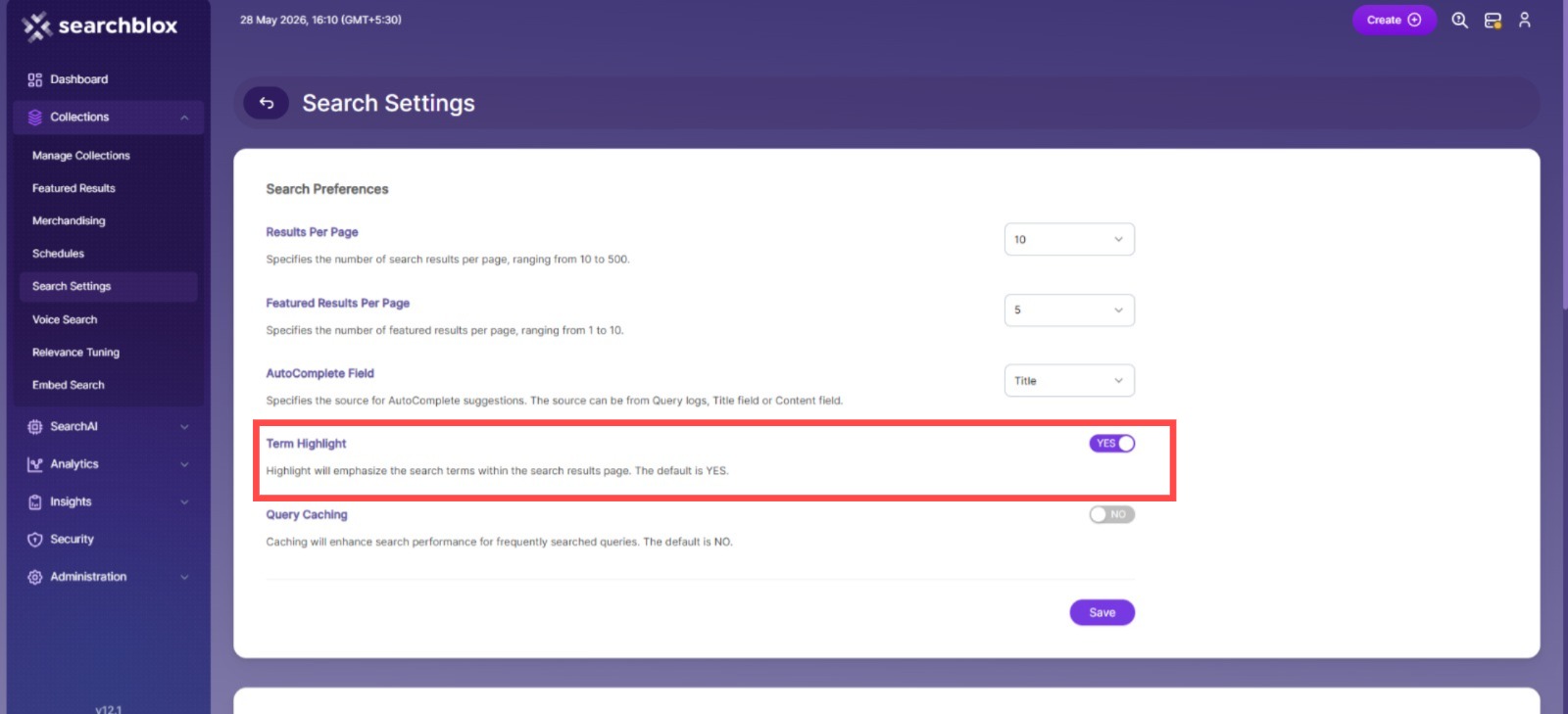
- To enable this feature, go to Dashboard > Collections > Search Settings and select Yes for Hit Highlighting.
- In search results the search term will be highlighted as in the screenshot:
Updated 16 days ago
What’s Next
Did this page help you?