
Search Tuner
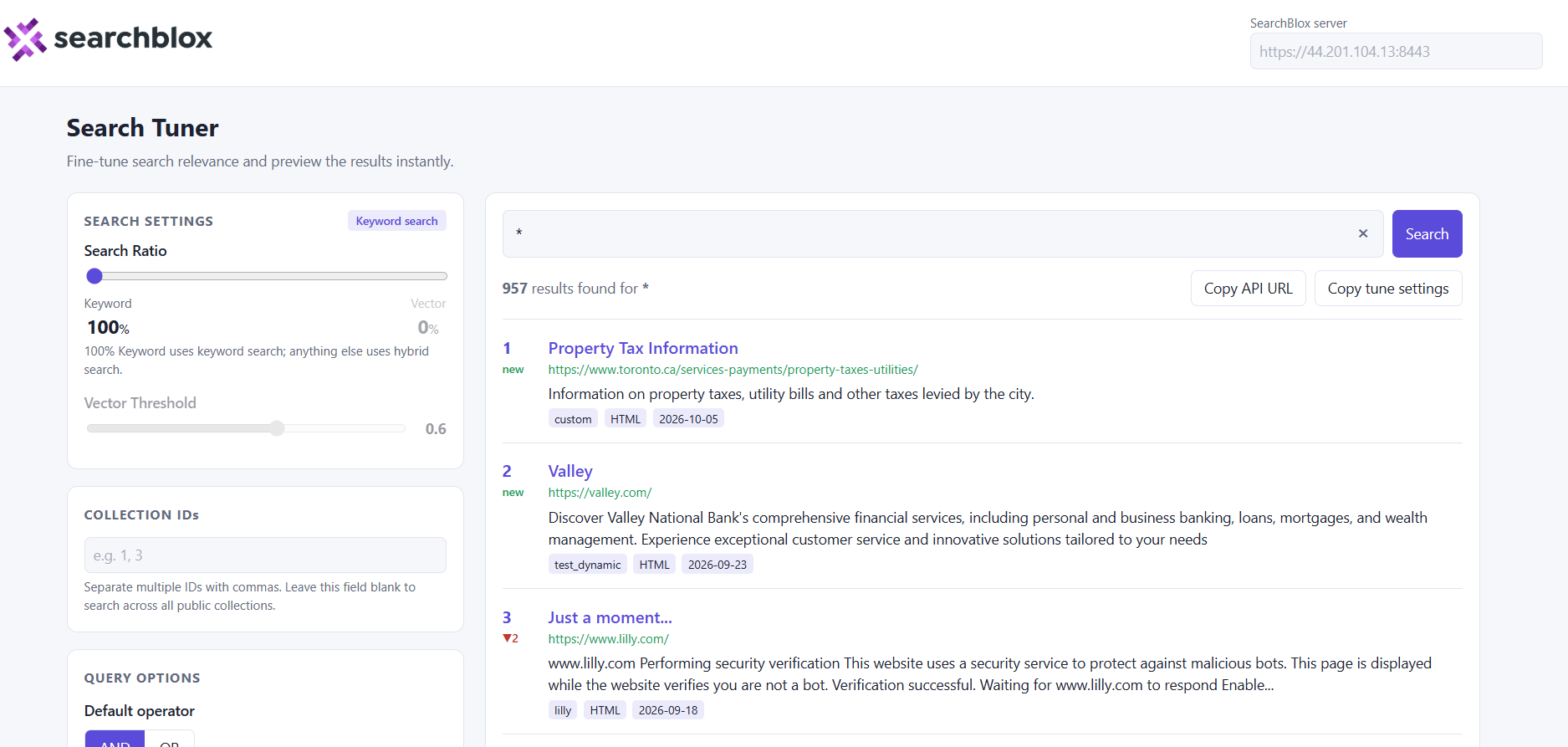
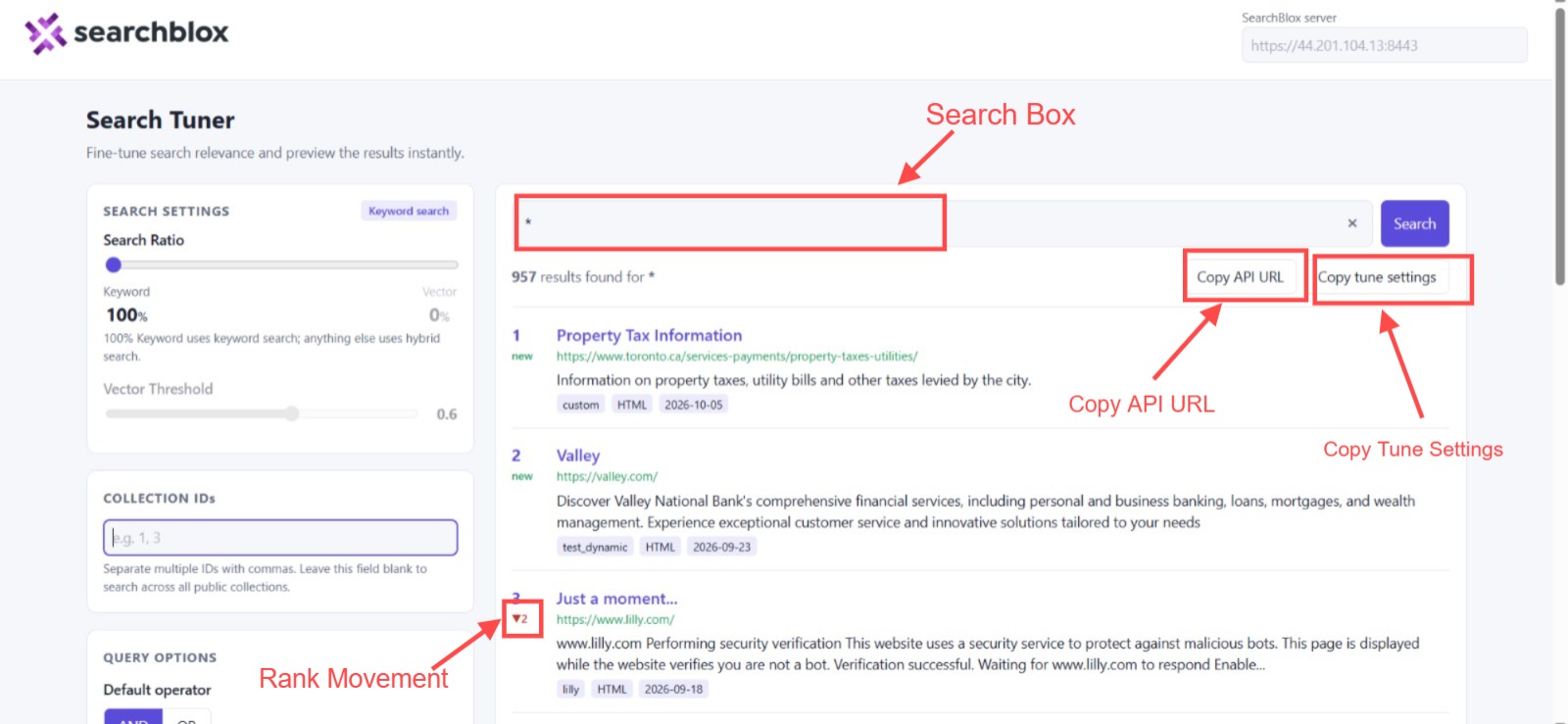
Search Tuner is a single-page SearchBlox plugin (index.html) for adjusting search relevance and previewing results in real time. It lets you modify keyword/vector ratios, query options, and relevance-tuning weights to observe result rank movements immediately.
Requirements
-
Security must be disabled (public search only)
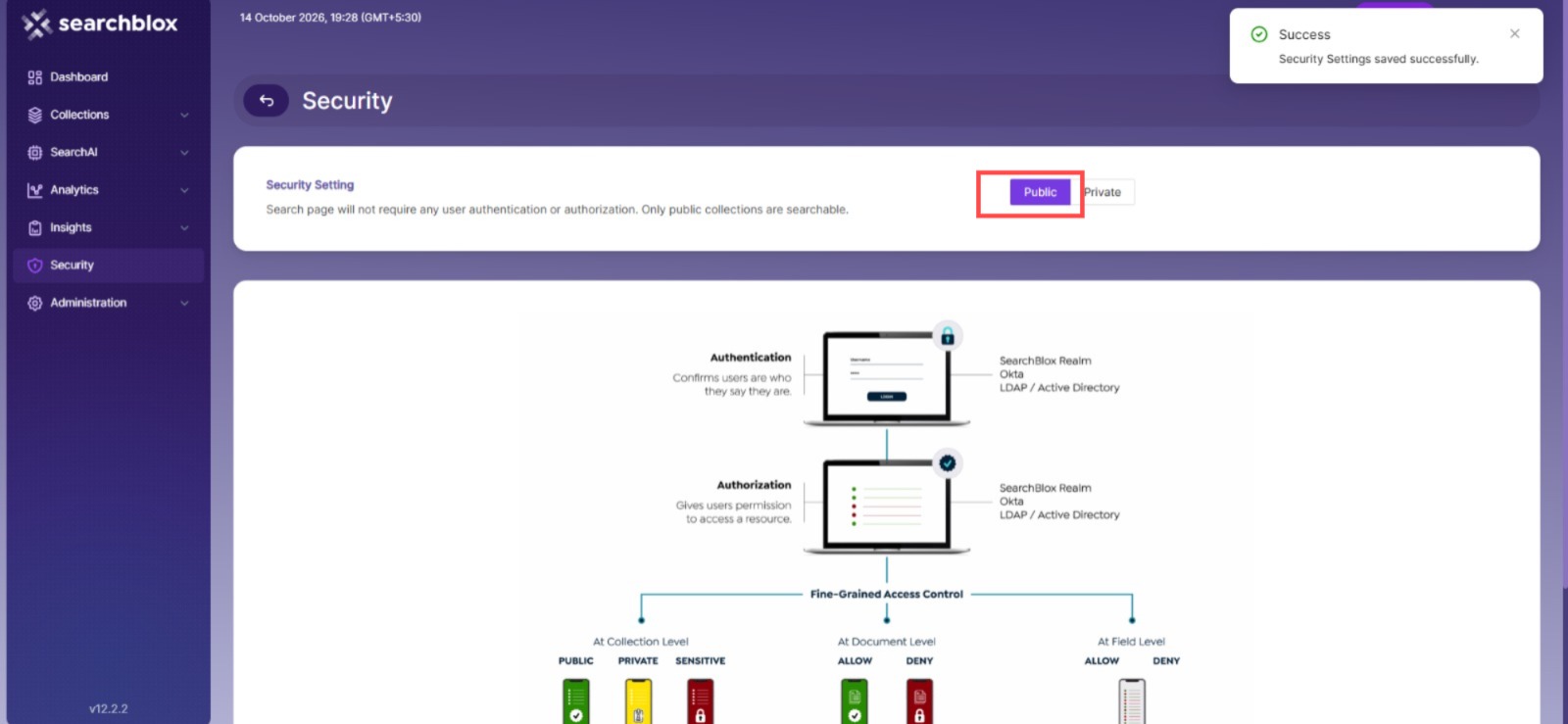
The plugin calls SearchBlox search APIs without authentication using public=true. It functions only when:
-Secure Search / security is disabled in SearchBlox, and
-The collections you search are public collections.
If security is enabled, the search requests are rejected and the tool shows an error instead of results.
-
For detailed information on configuring CORS for external requests, see Enabling CORS in SearchBlox.CORS must allow * when accessed from outside the server
Settings in the tool
Weighting (keyword search with tuning on)
For details on relevancy tuning parameters and weighting configurations, see Relevancy Tuning in Search.
Query options
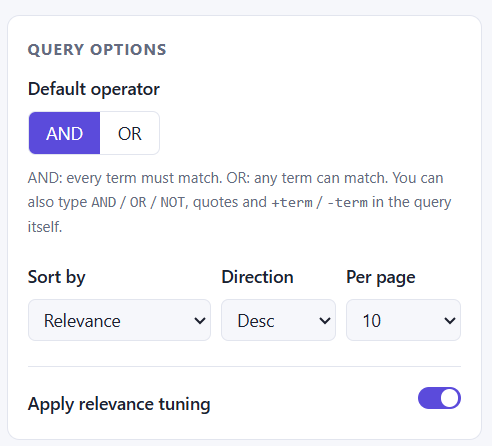
Allows you to configure search parameters such as query operators (AND/OR), fuzziness, and other query-level settings to refine search behavior.
-OR: The default operator; finds documents containing either term or phrase.
-AND: Requires both terms to appear in the document.
Collection IDs
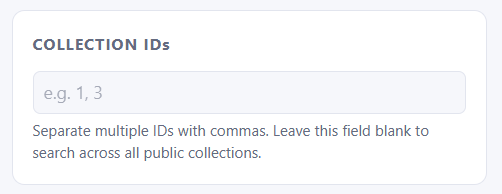
Search results will be based on the specific collection IDs specified in this section. If left empty, search results will be retrieved from all available public collections.
Results panel
| Control | Description |
|---|---|
| Search box | Executes when you press Enter or click Search (default query: *). Modifying other settings re-runs the last query. |
| Rank movement | ▲ / ▼ indicates position changes since the last search. new highlights, new results. |
| Copy API URL | Copies the full search API URL for the current settings. |
| Copy tune settings | Copies the current weights as JSON (keyword search only), e.g. {"title": 25, "description": 15, ...}. |
| Pager | Navigates between pages of search results. |
Script configuration (inside index.html)
| Control | Default | Purpose |
|---|---|---|
| SEARCHBLOX_DOMAIN | "" | Default server URL. Empty means the page uses the origin it was opened from. |
| SEARCH_ENDPOINTS | /rest/v2/api/search, /rest/v2/api/hybrid-search | Keyword and hybrid search endpoints. |
| HYBRID_DEFAULTS | vectorWeight: 0.2, vectorThreshold: 0.6 | Starting slider values. |
| DEFAULT_TEMPLATE_NAME | "WEB" | Template selected on page load. |
Uploading the plugin to SearchBlox
- Prepare the ZIP. Package the plugin folder as a ZIP file. The included search-tuner.zip contains:
search-tuner/
├── index.html
└── sb-logomain.png
The ZIP file name (here search-tuner) becomes the plugin folder name.
-
Back up any existing plugin with the same name.
Back up or rename existing plugin folders before uploading, as uploading a new ZIP overwrites all contents in the target folder.Complete the upload and verification. For step-by-step instructions on uploading the ZIP file and verifying deployment, see Uploading Search Front-Ends.
When hosted directly on SearchBlox, leave the SearchBlox server field blank. CORS is not required, but security must still be disabled.
Updated 21 days ago