
Google Workspace
Google Workspace is a secure search method that authenticates users through your Google Workspace domain using OIDC. Only authorized Google Workspace users can access the search page, providing a protected way to perform searches within SearchBlox.
Steps to Enable Secure Search for Google Workspace
To enable secure search using Google Workspace:
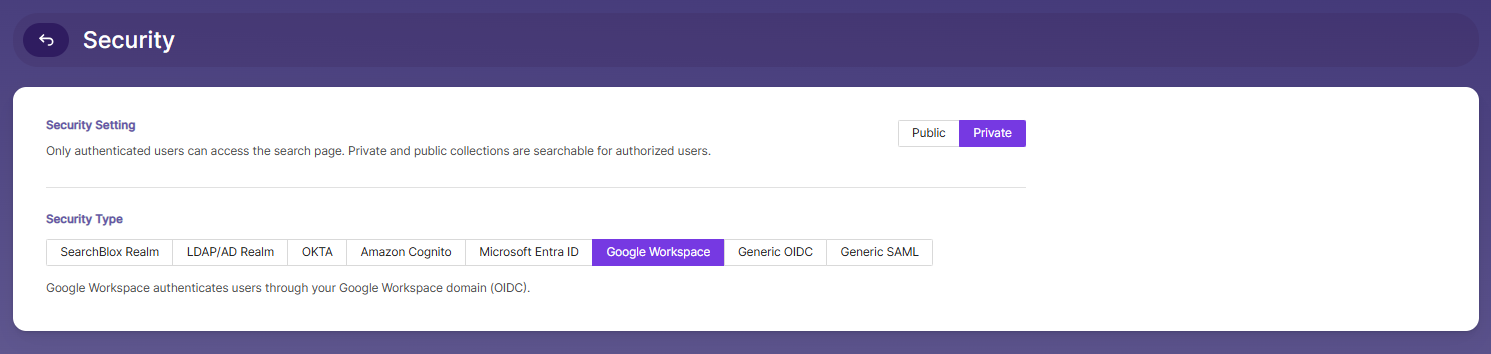
- Go to the Security tab in the Admin Search menu.
- Enable Private Security under Security Settings.
- Select Google Workspace as the Security Type.
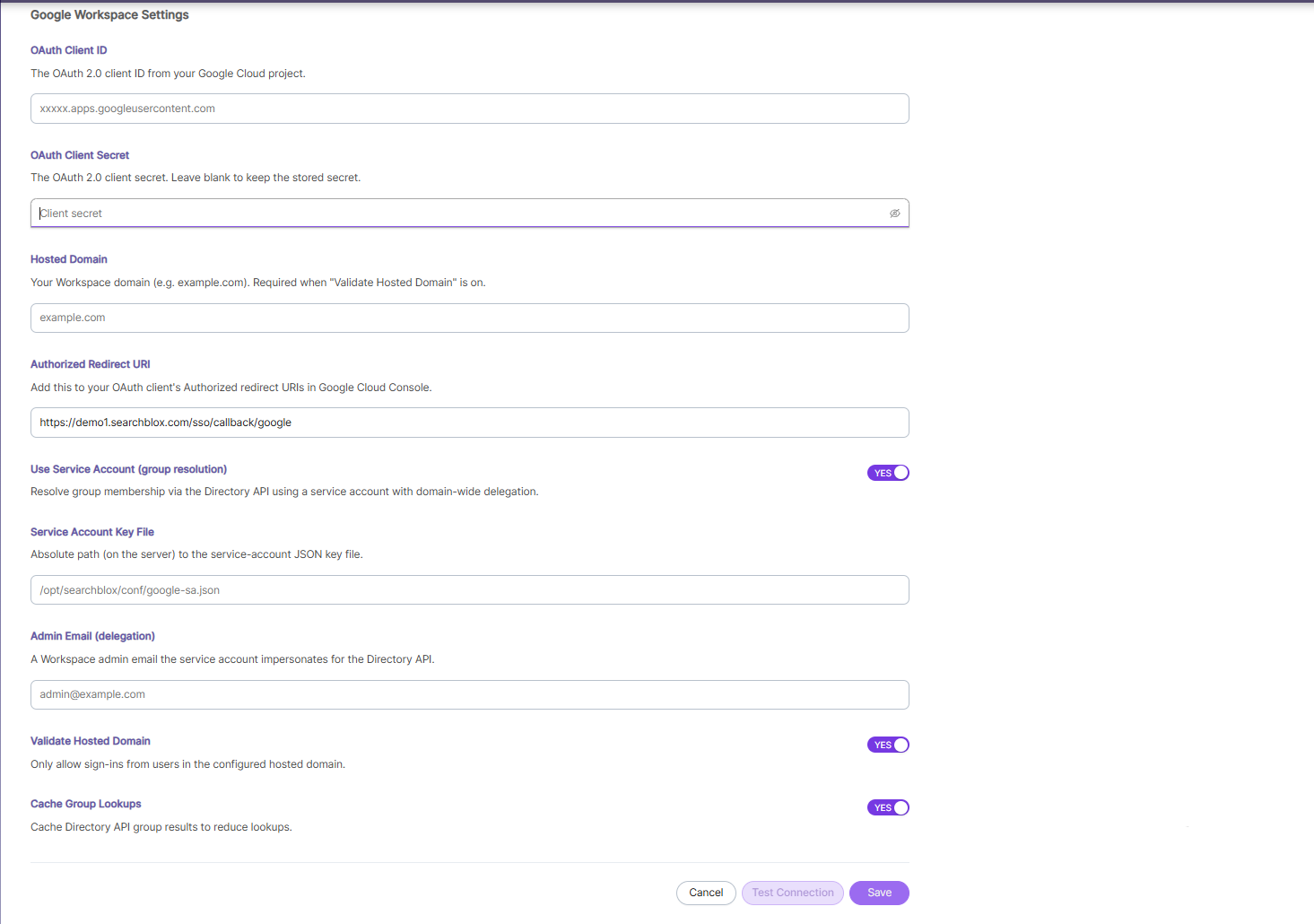
Google Workspace Settings
Enter the required Google Workspace configuration details in the available fields:
| Field | Description |
|---|---|
| OAuth Client ID | The OAuth 2.0 client ID from your Google Cloud project. |
| OAuth Client Secret | The OAuth 2.0 client secret. Leave blank to keep the stored secret. |
| Hosted Domain | Your Workspace domain (e.g., example.com). Required when "Validate Hosted Domain" is on. |
| Authorized Redirect URI | Add this to your OAuth client's Authorized redirect URIs in Google Cloud Console. |
| Use Service Account (group resolution) | Resolve group membership via the Directory API using a service account with domain-wide delegation. |
| Service Account Key File | Absolute path (on the server) to the service-account JSON key file. |
| Admin Email (delegation) | A Workspace admin email the service account impersonates for the Directory API. |
| Validate Hosted Domain | Only allow sign-ins from users in the configured hosted domain. |
| Cache Group Lookups | Cache Directory API group results to reduce lookups. |
Once the required fields are configured:
- Click Test Connection to verify the configuration.
- Click Save to store the Google Workspace settings, or Cancel to discard changes.
Note: Ensure the Authorized Redirect URI shown in SearchBlox is added to your OAuth client's Authorized redirect URIs in the Google Cloud Console, or authentication redirects will fail.
Updated about 1 month ago
Did this page help you?