
Generic SAML
Generic SAML is SearchBlox's option for letting users log in through any identity provider that supports the SAML 2.0 standard—like Okta, Azure AD, or ADFS—instead of using separate SearchBlox credentials; it works by exchanging trust details between the two sides (SearchBlox shares its ACS URL and SP Entity ID with the IdP, while the IdP shares its Entity ID, SSO URL, and signing certificate with SearchBlox), so that when a user logs in, the IdP sends back a signed message with their username, email, and group membership, which SearchBlox verifies and uses to grant access.
Steps to Enable Secure Search for Generic SAML
To enable secure search using Microsoft Entra ID:
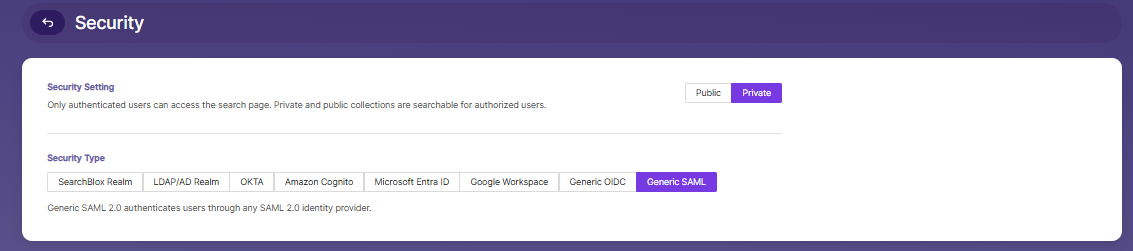
- Go to the Security tab in the Admin Search menu.
- Enable Private Security under Security Settings.
- Select Generic SAML as the Security Type.
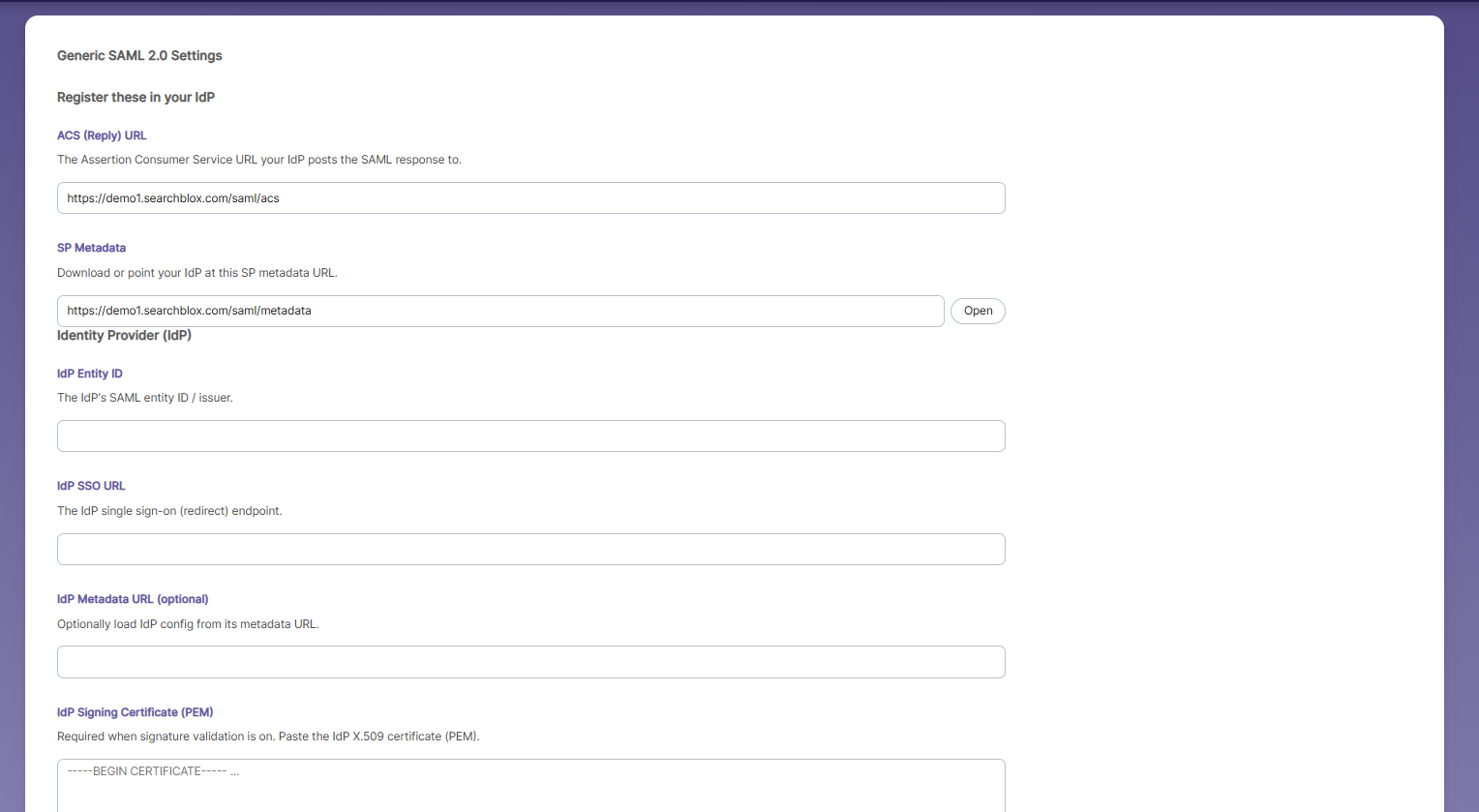
Generic SAML Settings
These are settings SearchBlox generates that you need to copy into your identity provider's configuration.
-
ACS (Reply) URL — https://demo1.searchblox.com/saml/acs: Where the IdP sends the login confirmation back
to. -
SP Metadata — A URL your IdP can read to auto-configure itself, instead of entering everything manually. Click
Open to view it.Then it asks for details about your IdP, which you get from your identity provider's admin console:
-
IdP Entity ID — A unique name/ID identifying your IdP.
-
IdP SSO URL — The login page/endpoint where users are sent to sign in.
-
IdP Metadata URL (optional) — A shortcut: if your IdP has a metadata URL, SearchBlox can auto-fill settings
from it instead of you entering each one by hand. -
IdP Signing Certificate (PEM) — A security certificate from your IdP, used to verify that login responses are
genuine and untampered. Required if signature validation is on.
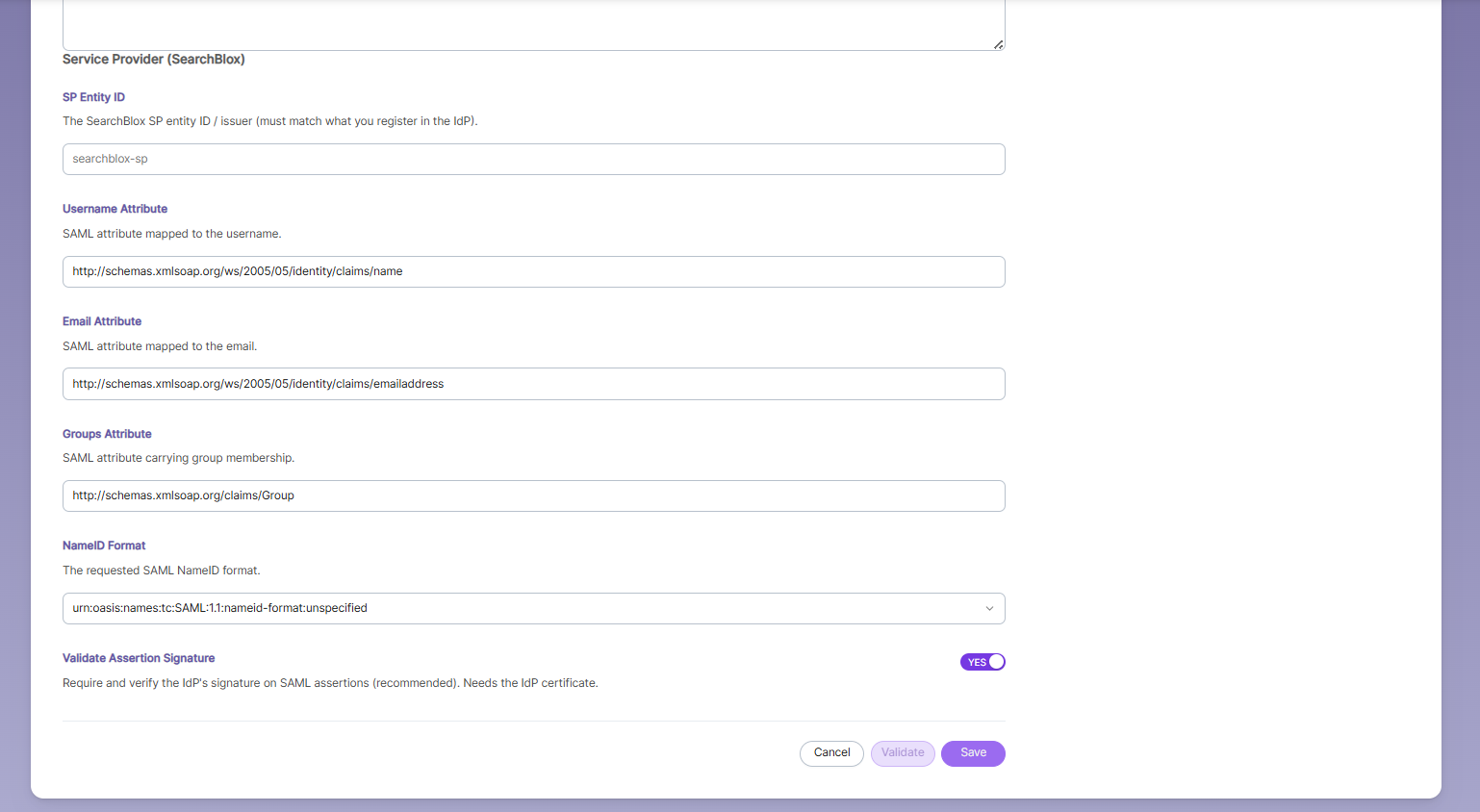
These describe how SearchBlox identifies itself and reads user info from the SAML response. -
SP Entity ID — searchblox-sp: SearchBlox's own unique identifier. This must match exactly what you register on the IdP side.
-
Username Attribute — Tells SearchBlox which field in the SAML response contains the username.
-
Email Attribute — Tells SearchBlox which field contains the email address.
-
Groups Attribute — Tells SearchBlox which field contains group membership (used for permissions).
-
NameID Format — The format used to identify the user (e.g., unspecified, email address, persistent ID) — must match what your IdP sends.
-
Validate Assertion Signature — YES — Ensures SearchBlox checks that the login response is really signed by your trusted IdP (using the certificate from Image 1). Recommended for security.
Fill in all the fields → click Validate to confirm it works → then click Save to make it live. If something's wrong, fix it and validate again before saving.
Updated about 1 month ago