
Knowledge Graph (KG)
Knowledge Graph (KG)
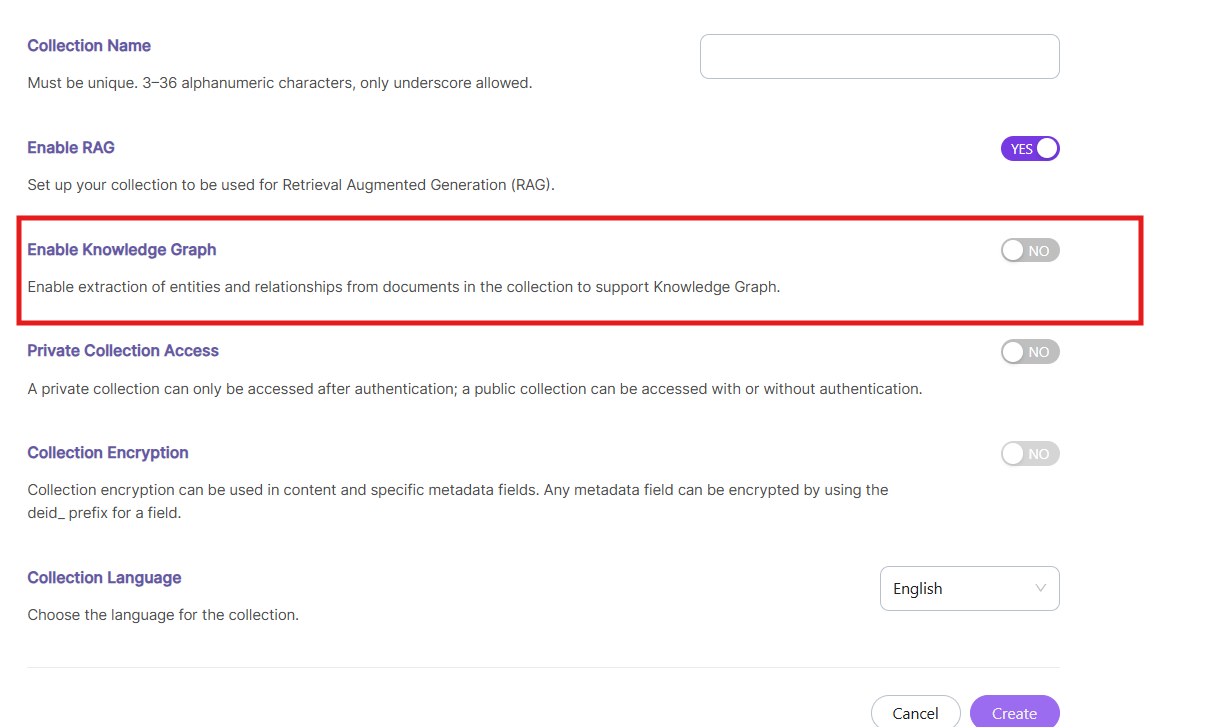
The Knowledge Graph (KG) feature in SearchBlox enables intelligent data understanding by extracting entities and their relationships from indexed content. Instead of treating documents as isolated data, KG organizes information into a connected structure, improving search relevance and contextual understanding.
How Knowledge Graph Works
When Knowledge Graph is enabled for a collection, SearchBlox performs the following:
- Extracts key entities such as people, organizations, locations, and concepts from documents
- Identifies relationships between these entities
- Structures the extracted data into a graph format
- Stores this information alongside the indexed content
This allows SearchBlox to understand the meaning and context behind the data, rather than relying only on keywords.
Core Components of Knowledge Graph
Entities
Entities are the main elements identified within content. These include:
- People (e.g., employees, authors)
- Organizations (e.g., companies, departments)
- Locations (e.g., cities, countries)
- Products, technologies, and concepts
Relationships
Relationships define how entities are connected. Examples include:
- “works for”
- “located in”
- “part of”
- “related to”
These connections help build meaningful associations across documents.
Triples (Data Structure)
Knowledge Graph stores data in the form of triples:
Subject → Predicate → ObjectExample:
SearchBlox → uses → OpenSearchThis structure forms the foundation of the graph.
Benefits of Knowledge Graph
Enabling Knowledge Graph provides the following advantages:
- Improved Search Relevance – Delivers more accurate results by understanding context
- Semantic Search Support – Interprets user intent instead of matching exact keywords
- Contextual Navigation – Allows users to explore related entities and topics
- Enhanced Insights – Reveals hidden relationships within data
Use Case Example
Without Knowledge Graph:
- A search for “Java” may return mixed and unrelated results
With Knowledge Graph: - The system distinguishes between different meanings such as programming language, location, or product
- Results are refined based on context
When to Enable Knowledge Graph
Enable Knowledge Graph when:
- Your data contains rich and interconnected information
- You require advanced and semantic search capabilities
- Understanding relationships between data is important
When to Disable Knowledge Graph
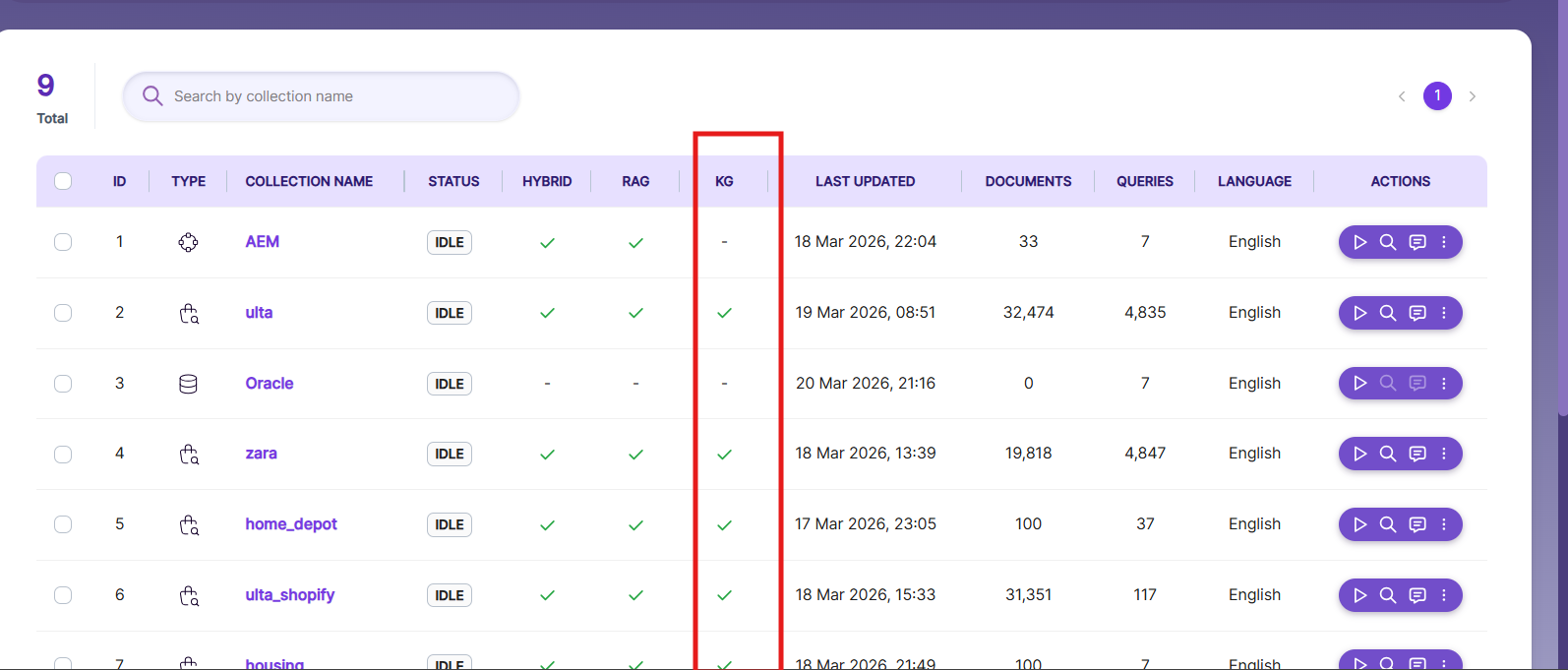
You may choose to disable Knowledge Graph when:
- Your data is simple and does not contain meaningful relationships
- Faster indexing is preferred over advanced processing
- Relationship-based insights are not required
Performance Considerations
Keep the following in mind before enabling Knowledge Graph on your collections:
- Enabling Knowledge Graph may increase indexing time due to entity extraction
- Additional storage is used for maintaining graph relationships
- Recommended for collections where data intelligence is a priority
Updated 23 days ago