
Assist
The Assist section in SearchBlox provides a set of AI-powered actions that help users quickly process and understand content. Each action applies a predefined prompt to indexed documents or external URLs, generating instant output — no manual effort required.
How Assist Works
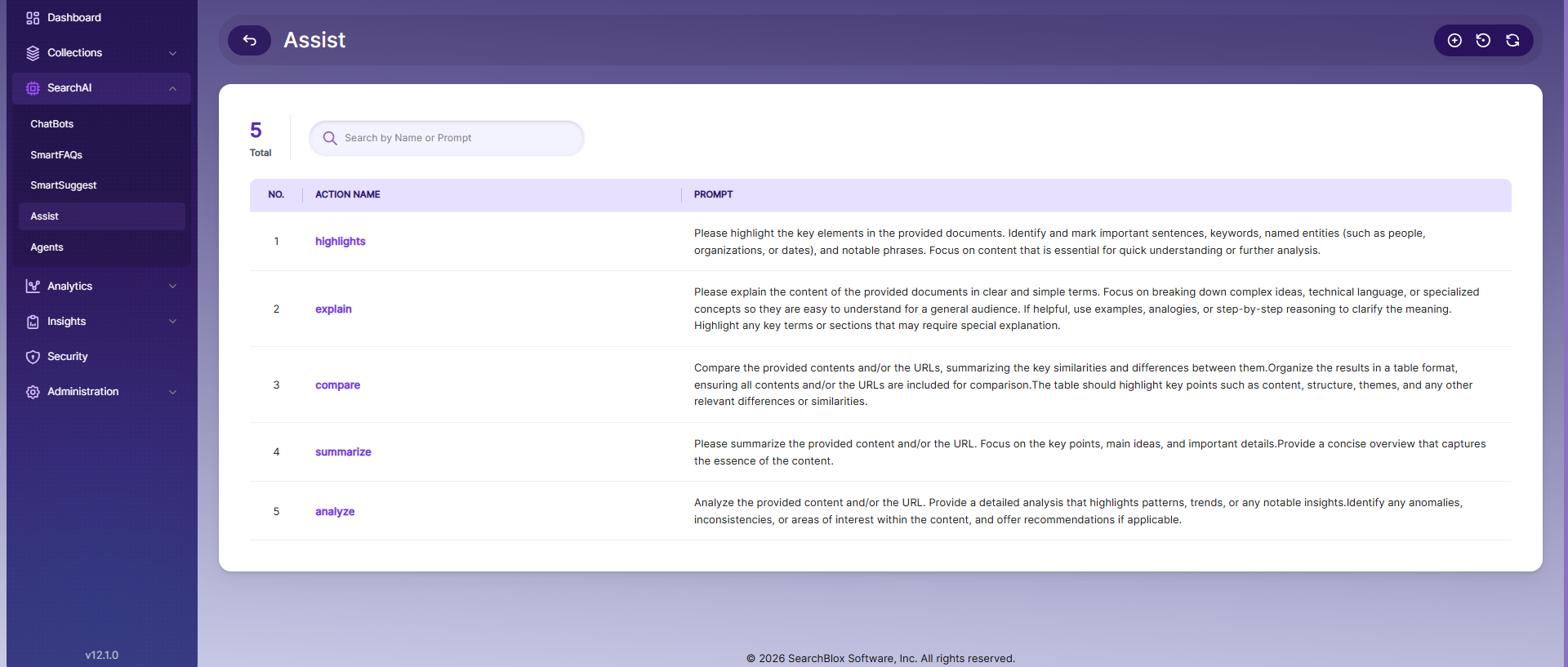
Select an action and apply it to your content. The AI processes the content using the action's predefined prompt and returns the result immediately. You can also use the search bar to find actions by name or prompt text.
Search and Action Management
Users can search for available actions using the search bar by entering the action name or prompt. The interface displays a list of actions along with their corresponding prompts for easy selection and management.
Available Actions
Highlights
Extracts and surfaces the most important parts of a document — key sentences, keywords, named entities (such as people, organizations, and dates), and notable phrases. Useful when you need a quick read on what a document contains without reading it in full.
Explain
Simplifies complex or technical content into plain language suitable for a general audience. Breaks down concepts clearly and may include examples or step-by-step reasoning for added clarity.
Compare
Compares multiple documents or URLs side by side. Identifies similarities and differences across content, structure, and themes, and presents them in a structured format — typically as a table
Summarize
Generates a concise summary focused on key points, main ideas, and important details. Ideal for getting a quick overview of a long document.
Analyze
Performs a detailed examination of the content. Identifies patterns, trends, insights, and inconsistencies, and may include recommendations based on the findings.
Action Controls
| Control | Description |
|---|---|
| Create Action | Define a custom AI action with a name and prompt |
| Restore Default Actions | Revert all actions to the system-defined default actions |
| Refresh Actions List | Reload the actions list to display the most recent updates |
Create Assist Action
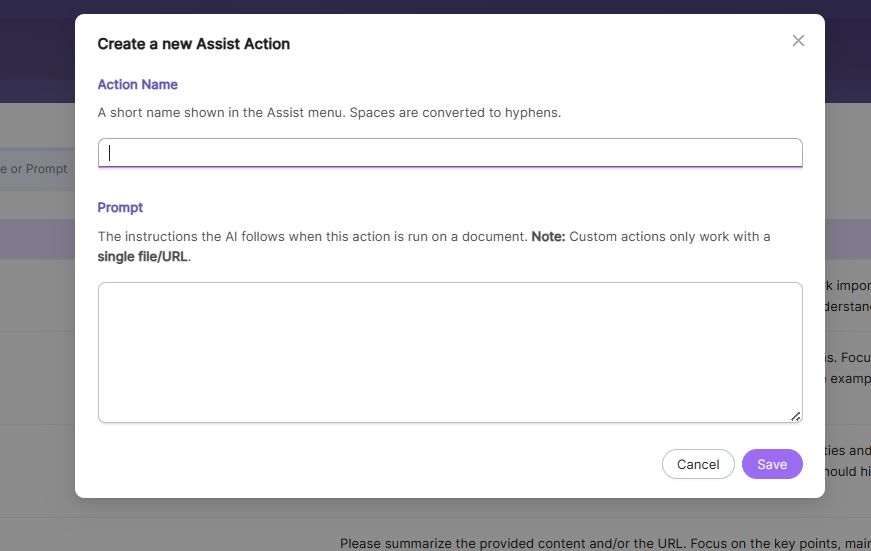
The Create Assist Action feature allows users to define custom AI actions by specifying a unique action name and a prompt. These custom actions enable users to tailor content processing based on specific requirements.
Action Name
The Action Name field is used to assign a unique name to the custom action. This name will be displayed in the Assist actions list and should clearly represent the purpose of the action.
Prompt
The Prompt field defines the instruction given to the AI. It determines how the content will be processed and what type of output will be generated. The prompt should be clear, specific, and aligned with the intended task such as summarizing, analyzing, or extracting information.
Updated 20 days ago