
MCP
The SearchBlox MCP Server page allows administrators to enable MCP access and view all tools exposed to connected AI assistants.
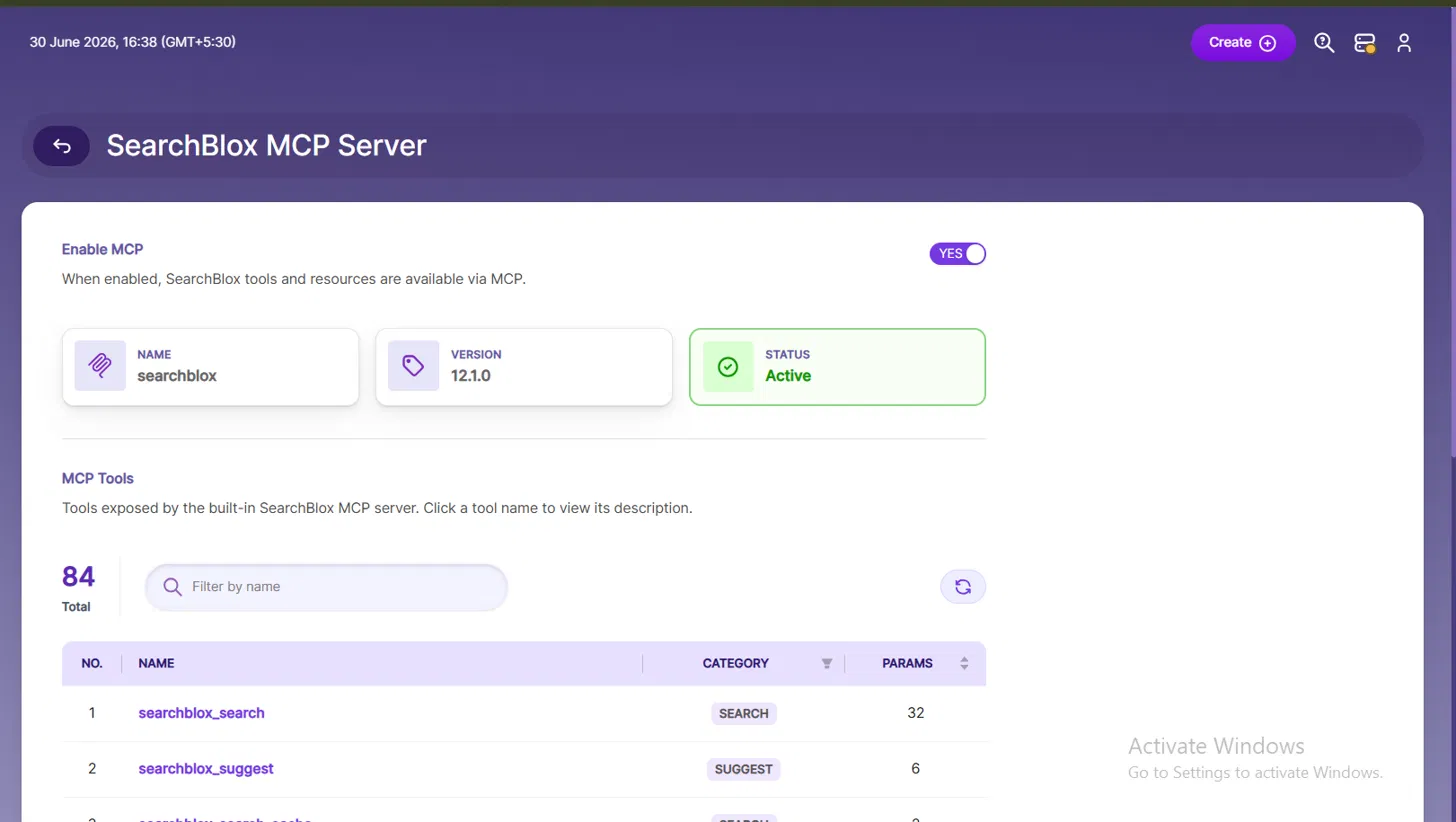
The SearchBlox MCP Server page provides visibility into the built-in Model Context Protocol (MCP) server, allowing administrators to enable MCP access and explore the full set of tools exposed to connected AI assistants.
Enable MCP
The Enable MCP toggle activates or deactivates the SearchBlox MCP server. When enabled, all SearchBlox tools and resources become accessible to connected MCP-compatible AI clients such as Claude Desktop, Claude Code, VS Code with Copilot, or Cursor.
When MCP is enabled, the server details are displayed:
| Field | Value |
|---|---|
| Name | searchblox |
| Version | 12.1.0 |
| Status | Active |
The Active status confirms the MCP server is running and ready to accept connections from AI clients.
MCP Tools
The MCP Tools section lists all tools exposed by the built-in SearchBlox MCP server. A total of 84 tools are available, each representing a specific capability that an AI assistant can invoke. Clicking on a tool name reveals its full description and parameter details.
Tool Table
| Column | Description |
|---|---|
| No. | Sequential tool number. |
| Name | The tool identifier used by the AI assistant when making calls. |
| Category | Functional grouping of the tool (e.g., SEARCH, SUGGEST). |
| Params | Number of configurable parameters the tool accepts. |
Example Tools
| No. | Name | Category | Params |
|---|---|---|---|
| 1 | searchblox_search | SEARCH | 32 |
| 2 | searchblox_suggest | SUGGEST | 6 |
searchblox_search— The primary search tool, supporting keyword, semantic, hybrid, and RAG-based search with 32 configurable parameters for fine-grained control over query behavior.searchblox_suggest— Provides autocomplete and search suggestions with 6 parameters, enabling AI assistants to offer real-time query recommendations.
A Filter by name search bar allows quick lookup across all 84 tools, and a Refresh (↻) button reloads the tool list to reflect any server-side updates.
How It Works
Once the MCP server is enabled and an AI client is connected, the AI assistant can invoke any of the 84 tools naturally through conversation. The assistant translates user intent into structured tool calls behind the scenes, retrieves results from SearchBlox, and presents them in a human-readable format.
For instructions on connecting an AI client to the SearchBlox MCP server, refer to the MCP Integration documentation.
Updated 13 days ago