
SaaS Collection
A SaaS Collection in SearchBlox lets you connect to REST APIs, OData endpoints, and SaaS
applications using prebuilt source descriptors. Instead of writing custom integration code,
you simply select a descriptor for the platform you want to connect — such as Slack, GitHub,
Salesforce, or any OData-compatible source — and SearchBlox handles the authentication,
data retrieval, and indexing automatically.Once connected, content from your SaaS platform
is indexed and made searchable through the standard SearchBlox interface, keeping results
in sync as data changes over time.
Creating a REST API Collection**
Follow these steps to create a new REST API Collection from the SearchBlox Admin Console:
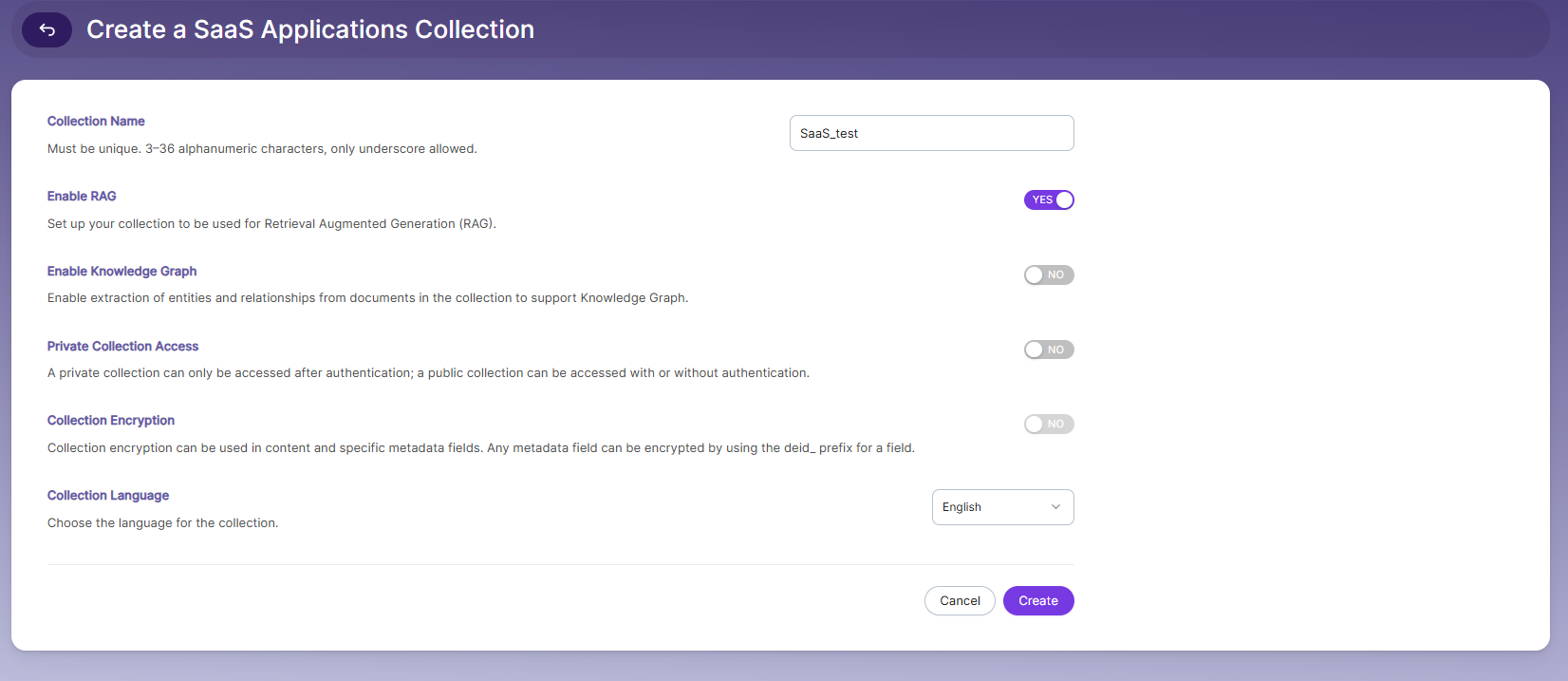
• Log in to the Admin Console
• Click Create
• Select SaaS application Collection
• Enter a Collection Name
• Enable RAG (optional)
• Enable Knowledge Graph (optional)
• Click Create
Authentication Settings
After the collection is created, the Settings tab shows key information needed to push documents into
this collection via the API.
- Go to authentication Tab
- Select source
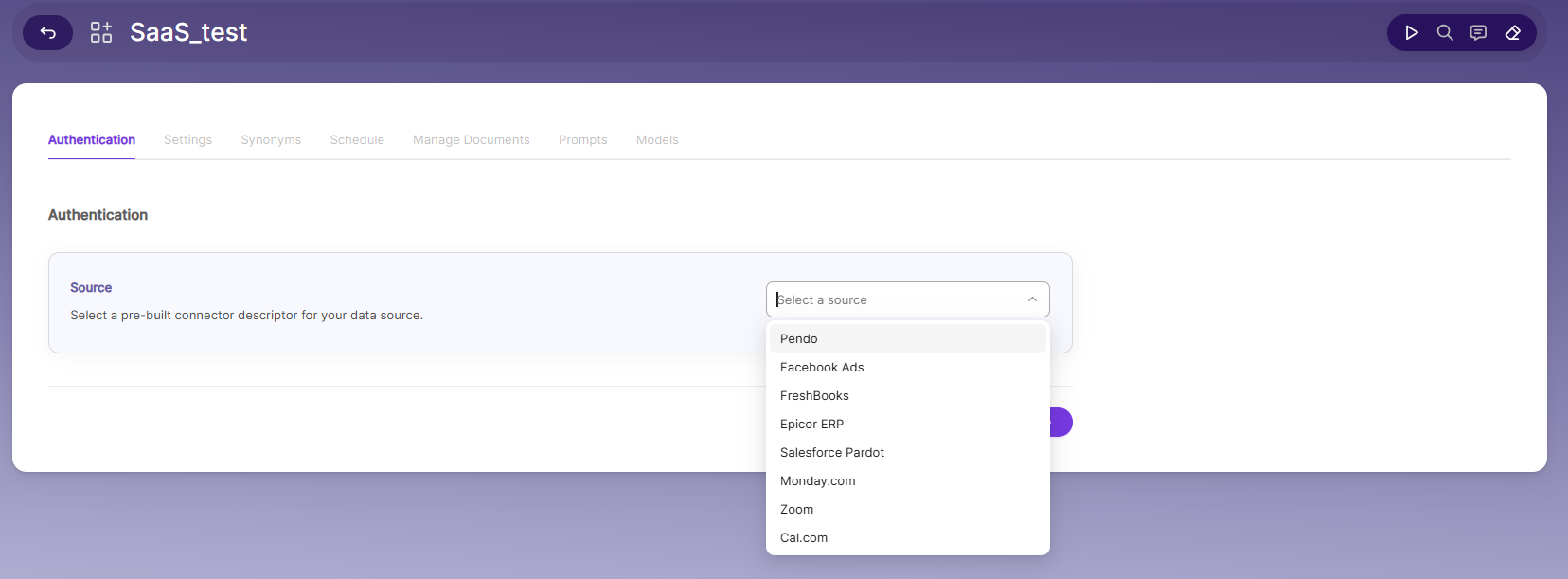
- After selecting source u will see required fields
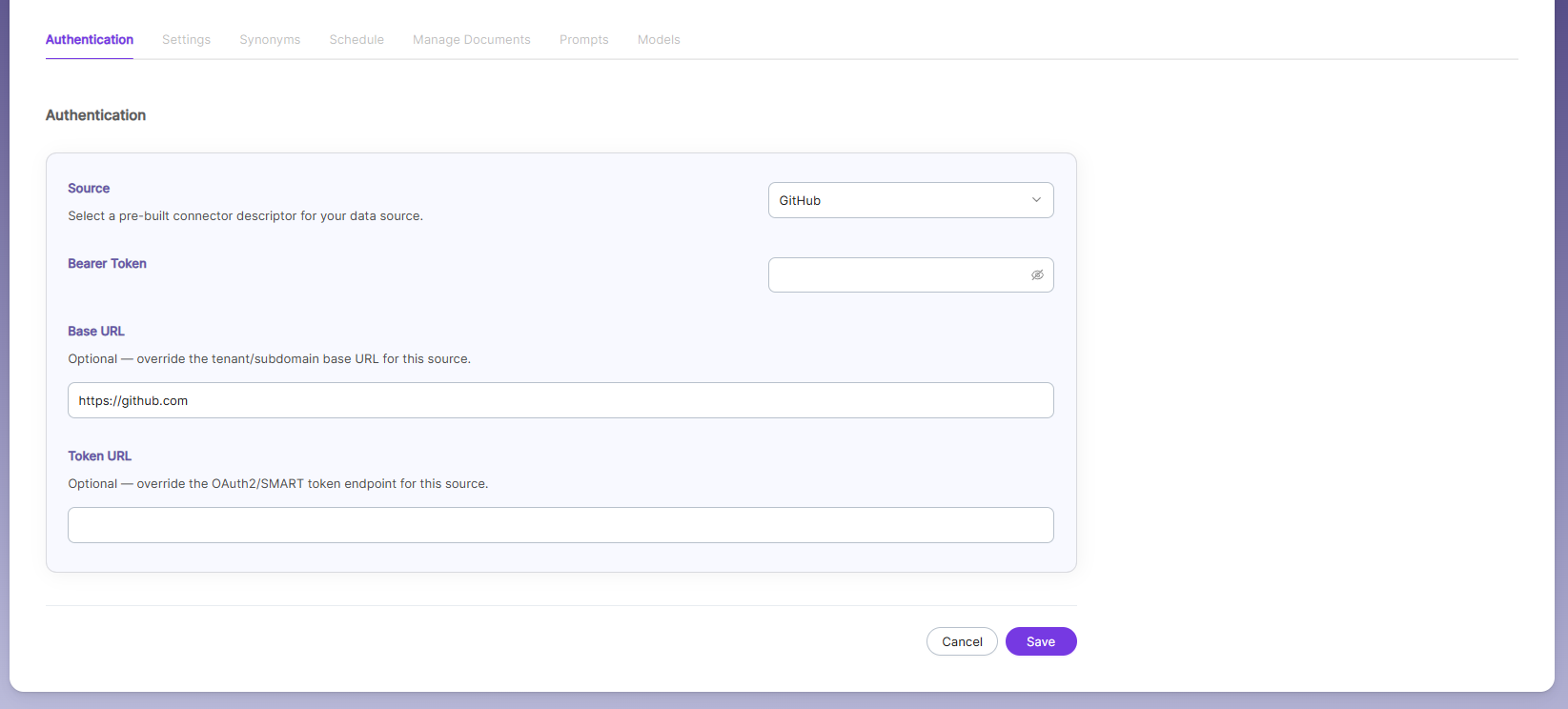
- Fill in the required fields and click on save and index
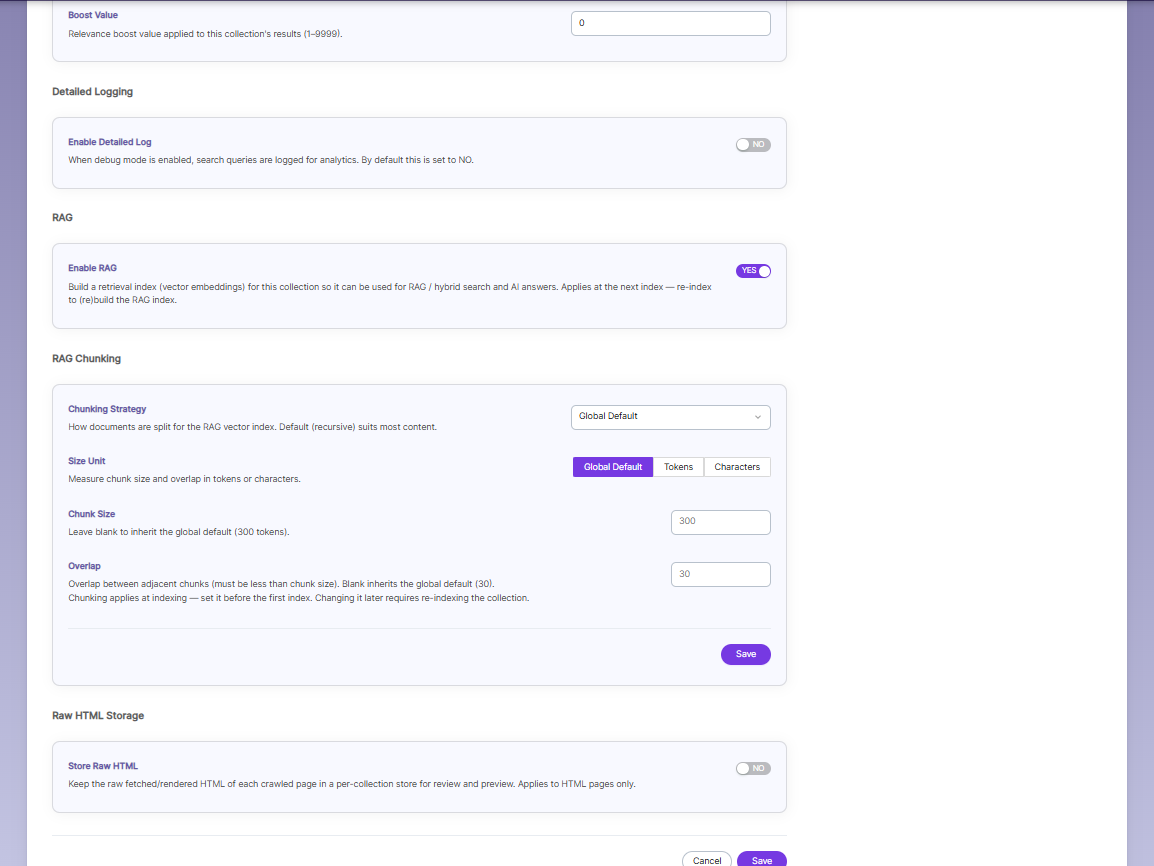
Configuring SaaS Settings
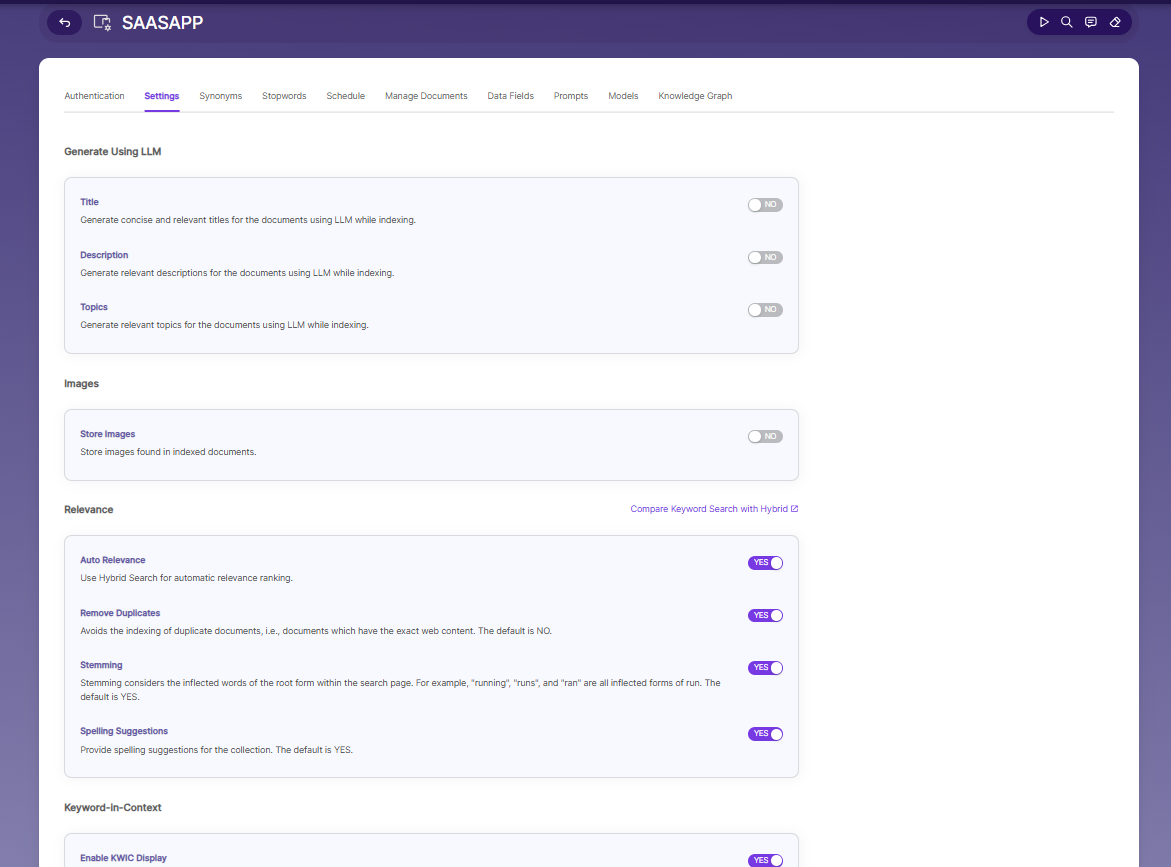
Generate Using LLM
Title — Auto-creates titles for documents using AI. Off by default.
Description — Auto-creates descriptions using AI. Off by default.
Topics — Auto-generates topics for documents using AI. Off by default.
Images
Store Images — Saves images found inside indexed documents. Off by default.
Relevance
Auto Relevance — Uses Hybrid Search to automatically rank results better. ON.
Remove Duplicates — Skips indexing documents with identical content. ON (default is normally NO, but it's enabled here).
Stemming — Treats similar word forms as the same (e.g., "running," "runs," "ran" all match "run"). ON (default YES).
Spelling Suggestions — Suggests corrections for misspelled search terms. ON (default YES).
Keyword-in-Context
Enable KWIC Display — Shows a snippet of text around the matched keyword in search results. ON.
Relevance Boost
Boost Value — A number that increases how highly this collection's results rank (1–9999). Set to 0 here (no boost).
Detailed Logging
Enable Detailed Log — When on, search queries get logged for analytics/debugging. Off by default.
RAG
Enable RAG — Builds a vector index so this collection can be used for AI-powered search and answers. ON. Takes effect on the next re-index.
RAG Chunking
Chunking Strategy — How documents get split up for the AI index. Set to Global Default (recursive splitting, works well for most content).
Size Unit — Whether chunk size is measured in Tokens or Characters. Set to Global Default.
Chunk Size — How big each chunk is. Blank = uses global default (300 tokens).
Overlap — How much adjacent chunks overlap. Blank = uses global default (30).
Set these before your first index — changing them later means you must re-index everything.
Raw HTML Storage
Store Raw HTML — Saves a copy of the original HTML for each crawled page (for review/preview). Only applies to HTML pages. Off by default.
Update Path in WEB-INF
After creating the REST API Collection, you must update the collection's fetch URL path in the WEB-INF
configuration.
- Enter the WEB-INF path:
/webapps/ROOT/WEB-INF/restapi/descriptor - Open the descriptor you want to update.
- Update the path in the selected descriptor.
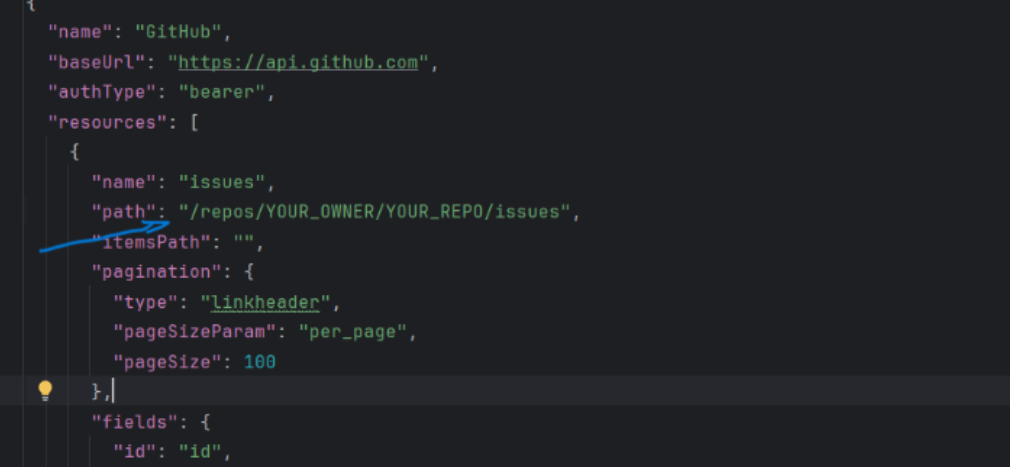
- Save the changes.
After saving the path, go to the Console and refresh the Index page. You will see the
indexed documents.
Synonyms
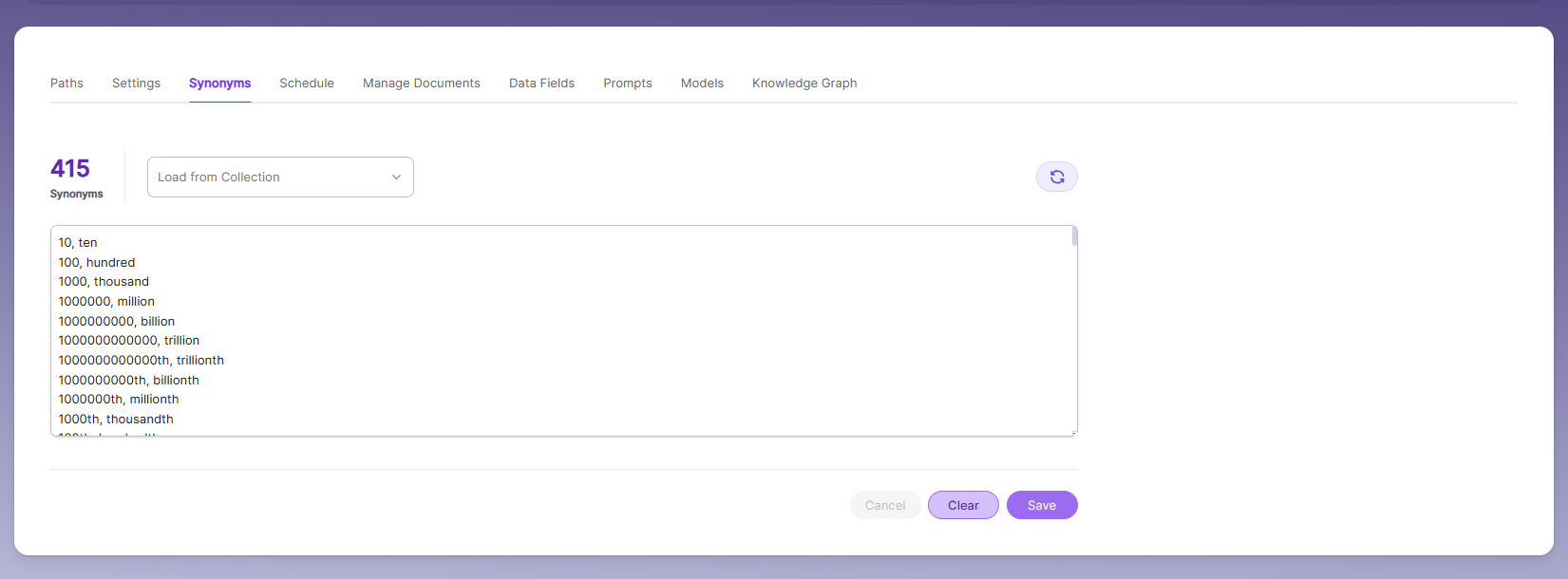
Synonyms help the search show relevant documents even when the exact search word is not used.
For example, if someone searches for “global,” the results can also include documents that use “world”
or “international.”
We have an option to load Synonyms from the existing documents.
Stopwords
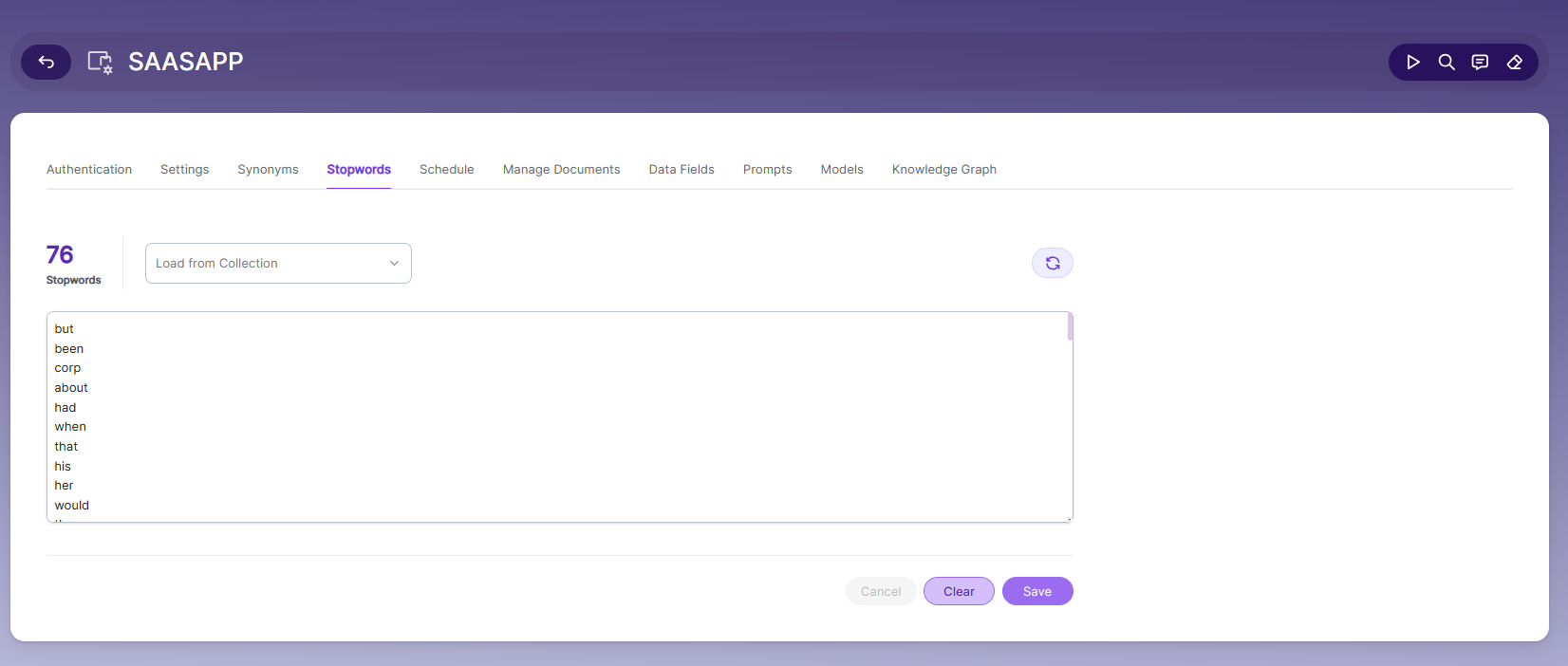
Stopwords are common, high-frequency words that carry minimal semantic value and are typically excluded during text processing, indexing, or search operations. Examples include articles (a, an, the), conjunctions (and, but, or), prepositions (in, on, about), and auxiliary verbs (is, was, would, had).
Purpose:
Reduce noise in search indexing and text analysis
Improve processing efficiency by excluding low-value tokens
Enhance search relevance by prioritizing meaningful keywords
Schedule and Index
Sets the frequency and the start date/time for indexing a collection. Schedule Frequency supported in
SearchBlox is as follows:
• Once
• Hourly
• Daily
• Every 48 Hours
• Every 96 Hours
• Weekly
• Monthly
The following operation can be performed in Azure blob collections
| Activity | Description |
|---|---|
| Enable Scheduler for Indexing | Once enabled, set the Start Date and Frequency for automatic scheduled indexing. |
| Schedule | Select the indexing frequency for this collection. |
| View all Schedules | Redirects to the Schedules section where all collection schedules are listed and managed. |
Manage Documents Tab
• Using Manage Documents tab we can do the following operations:
a. Filter
b. View content
c. View metadata
d. Refresh
e. Delete
• To delete a file from your collection, enter the file path and click "Delete".
• To see the status of an indexed file, click "View Metadata".
| Operation | Description |
|---|---|
| Filter | Search and filter indexed documents by URL, title, or metadata field values. |
| View content | View the full indexed text content of a document as stored in SearchBlox. |
| View metadata | Inspect all metadata fields stored for a document — useful for verifying API-pushed data. |
| Refresh | Re-fetch and re-index a specific document by its URL. |
| Delete | Remove a specific document from the collection index by entering its URL and clicking Delete. |
- Use "View Metadata" to confirm that documents pushed via API are indexed correctly with the expected
fields and values
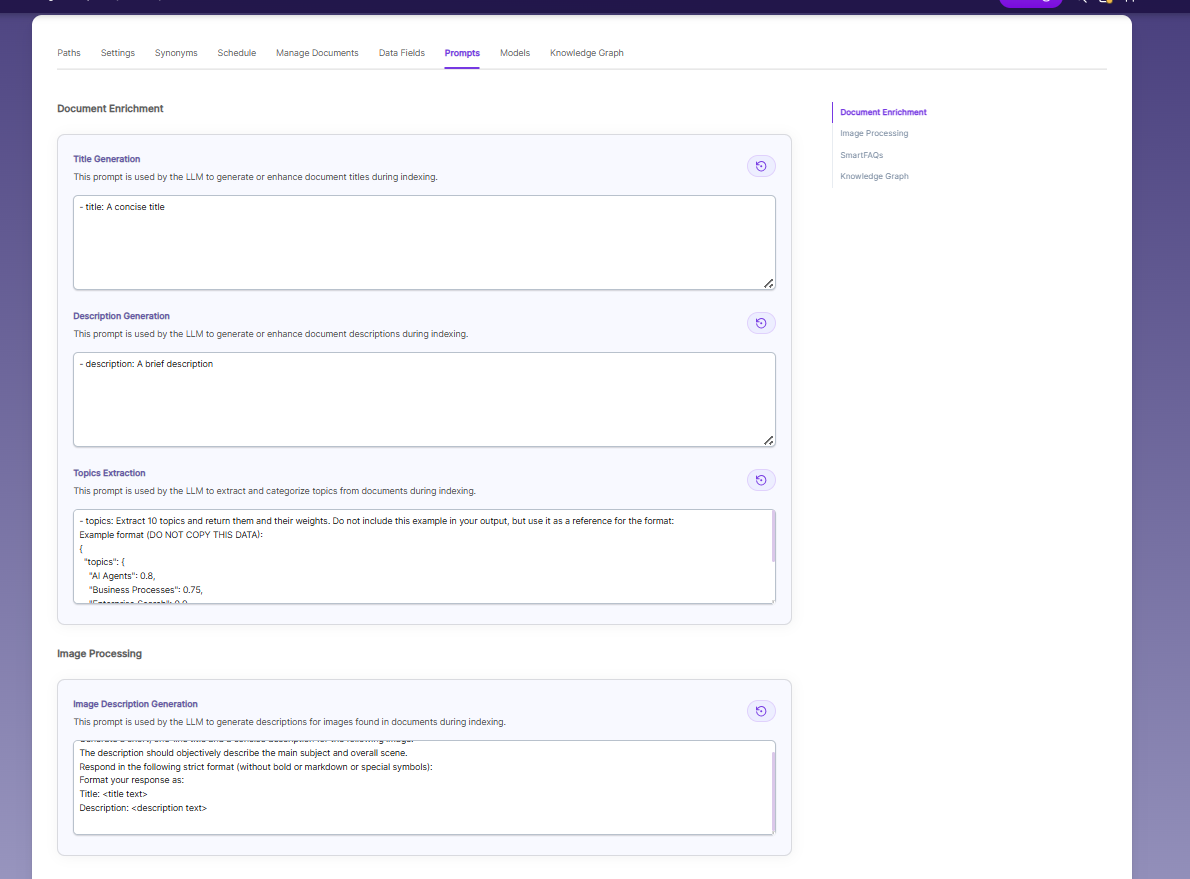
Prompts
• When LLM/RAG is enabled, you can edit AI-based prompts for Title, Description, Topic, Image
Description, and Smart FAQs.
• You can customize these prompts anytime, and use Restore Default to reset them back to the
original SearchBlox settings
Configurable Prompts
| Prompt Type | Description |
|---|---|
| Title | Prompt used to generate or enhance the document title using the LLM when no title is provided in the API call. |
| Description | Prompt used to generate a concise document summary for search result snippets. |
| Topic | Prompt used to extract or classify the main topic of the document |
| Image Description | Prompt used to generate descriptive text for images referenced in indexed documents |
| Smart FAQs | Prompt used to automatically generate FAQ pairs from document content for the SmartFAQs feature. |
● Prompts can be customized at any time without requiring a re-index.
● Click Restore Default to reset any prompt back to the original SearchBlox defaults.
● Changes to prompts take effect for new search queries immediately.
Models
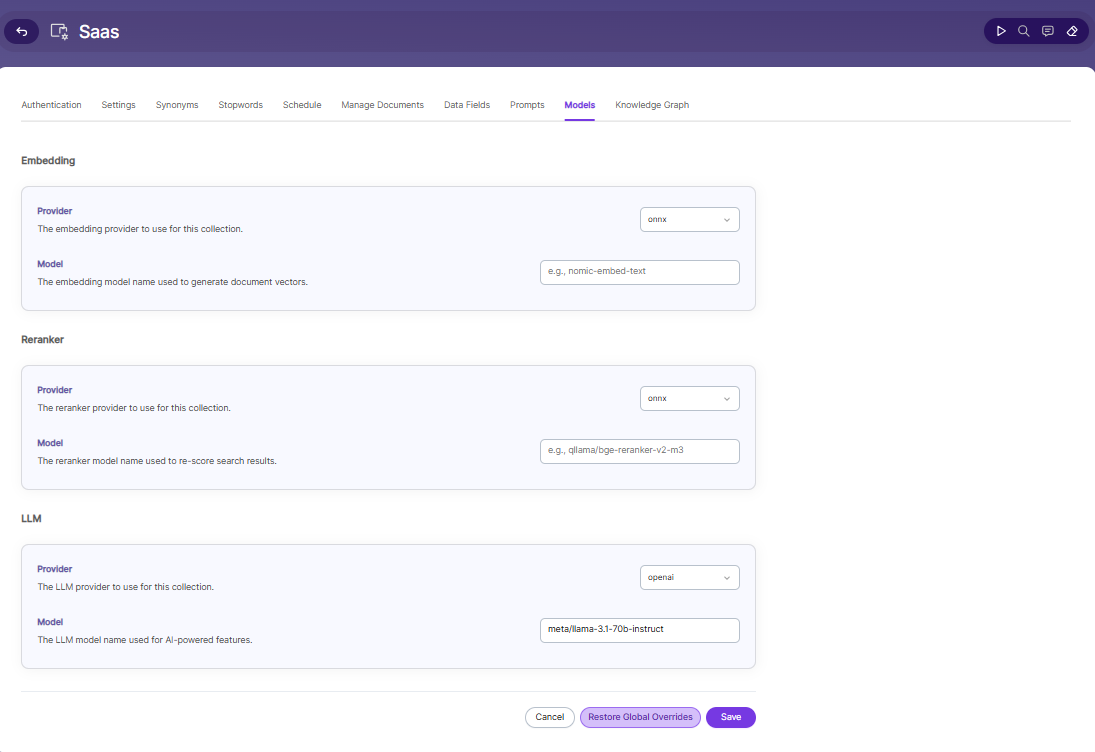
The Models page allows you to configure and override AI models used for embeddings, reranking, and LLM-based features within the collection.
Embedding
- Provider specifies the embedding provider used to generate vector representations of documents.
- Model defines the embedding model used to convert document content into vectors for semantic search.
Reranker
- Provider specifies the reranker provider used for improving search result relevance.
- Model defines the reranker model used to re-score and reorder search results based on relevance.
LLM
-
Provider specifies the Large Language Model provider used for AI-powered features.
-
Model defines the LLM used for tasks such as document enrichment, summaries, and SmartFAQs.
-
These settings override global configurations and apply only to the current collection.
Knowledge Graph
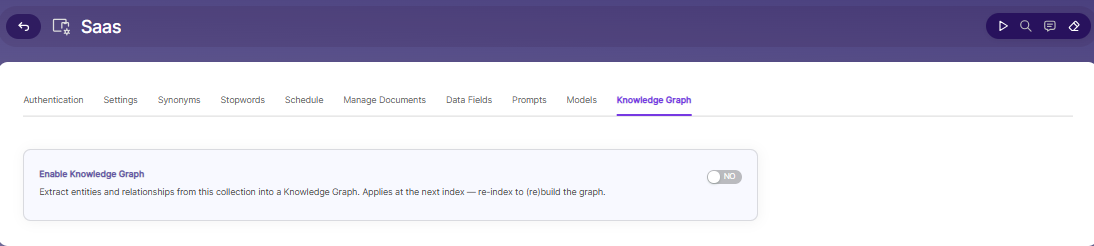
- Enable Knowledge Graph — Turn ON to extract entities and relationships from this collection into a Knowledge Graph. This setting applies at the next index — re-index the collection to build or rebuild the graph.
Updated about 1 month ago