
Form Authentication in Web Collection
Form Authentication in WEB Collections
Form authentication allows SearchBlox to automatically log in to password-protected websites, enabling the crawler to access and index content that is available only after authentication.
To enable form authentication in a WEB Collection, provide the following information in the collection settings:
- Form URL — The URL of the login page.
- Method — The form submission method (POST or ADFS).
- Name–Value Pairs — The field names and values required for authentication, such as username, password, and any additional login parameters.
Supported Authentication Types
| Type | When to Use |
|---|---|
| Standard (POST) | Use for standard HTML-based login forms |
| ADFS | Use for Microsoft Active Directory Federation Services (ADFS) login pages |
| Dynamic | Use for forms that generate dynamic tokens or headers, such as CSRF/XSRF tokens |
ADFS Form Authentication
ADFS (Active Directory Federation Services) is Microsoft's identity federation service, commonly used in organisations that protect internal web pages with Windows-based single sign-on. SearchBlox can automatically authenticate and index pages protected by ADFS login.
Steps to configure ADFS Form Authentication in WEB Collection
-
Create a WEB Collection and set the Root Path.
-
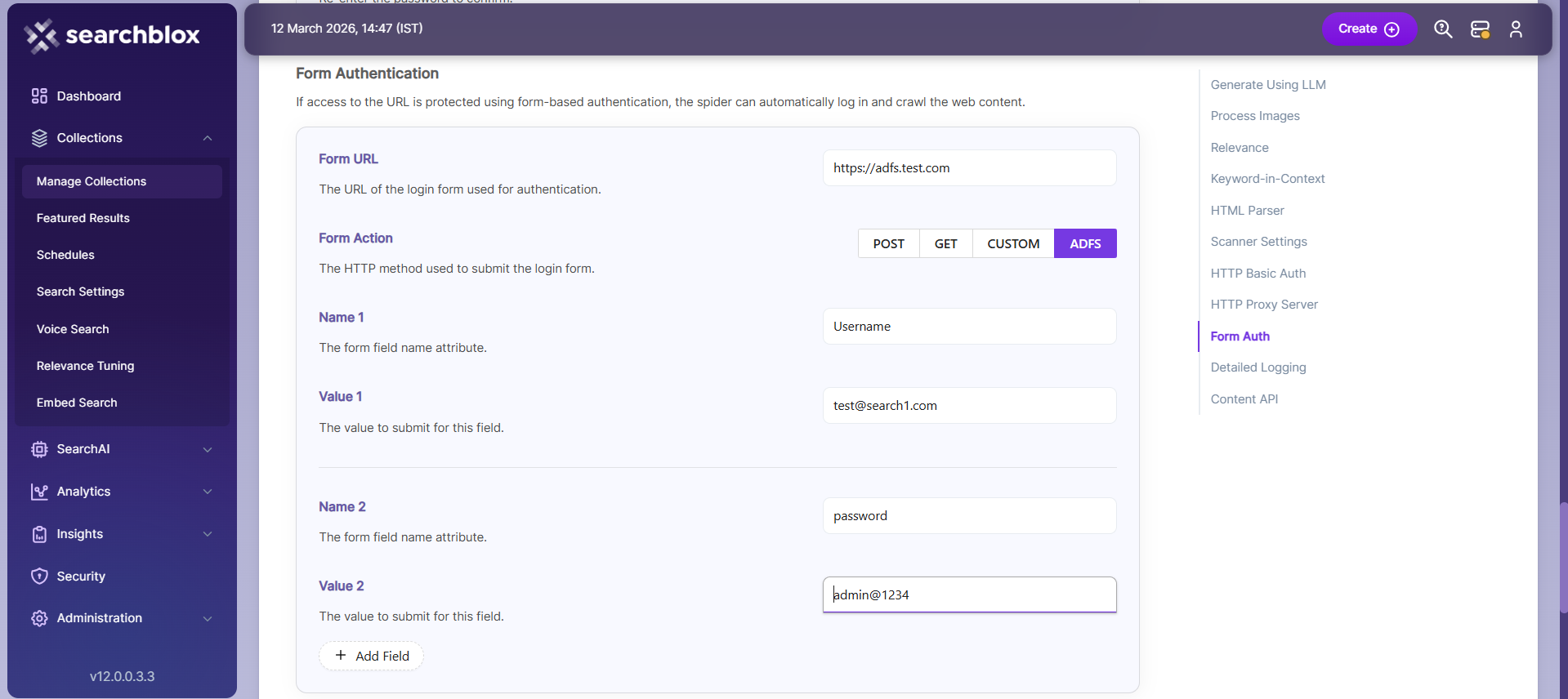
In the collection settings, provide Form Authentication details:
- Form URL
- Select Type as ADFS
- Name–value pair for username
- Name–value pair for password
- Any other required name–value pairs
- Save the changes
-
Start Indexing
Dynamic Form Authentication
Some login forms generate security tokens dynamically each time the page loads — for example, CSRF or XSRF tokens that change with every request. Standard form authentication cannot handle these because the token value is different every time. Dynamic Form Authentication solves this by reading the token from the server's request or response headers and injecting it into the login form automatically.
Steps to use Dynamic Form Authentication
- Stop SearchBlox if it is running.
- Edit the file: <SEARCHBLOX_INSTALLATION_PATH>\webapps\ROOT\WEB-INF\formauth.yml. Add the required details for your form authentication. Refer to the instructions provided after # in the YML file for guidance.
## Getting form data values from request headers and response headers for setting configured form data value dynamically
formauth:
##Give true to enable dynamic form authentication
  enabledynamicformdata: true
  collectionsconfig:
 ##Collection name
    col1:
 ##xsrf token for dynamic form authentication
      _xsrftoken: $1
 ##Multiple collections are supported
    col2:
_xsrftoken: $2-
Start SearchBlox
-
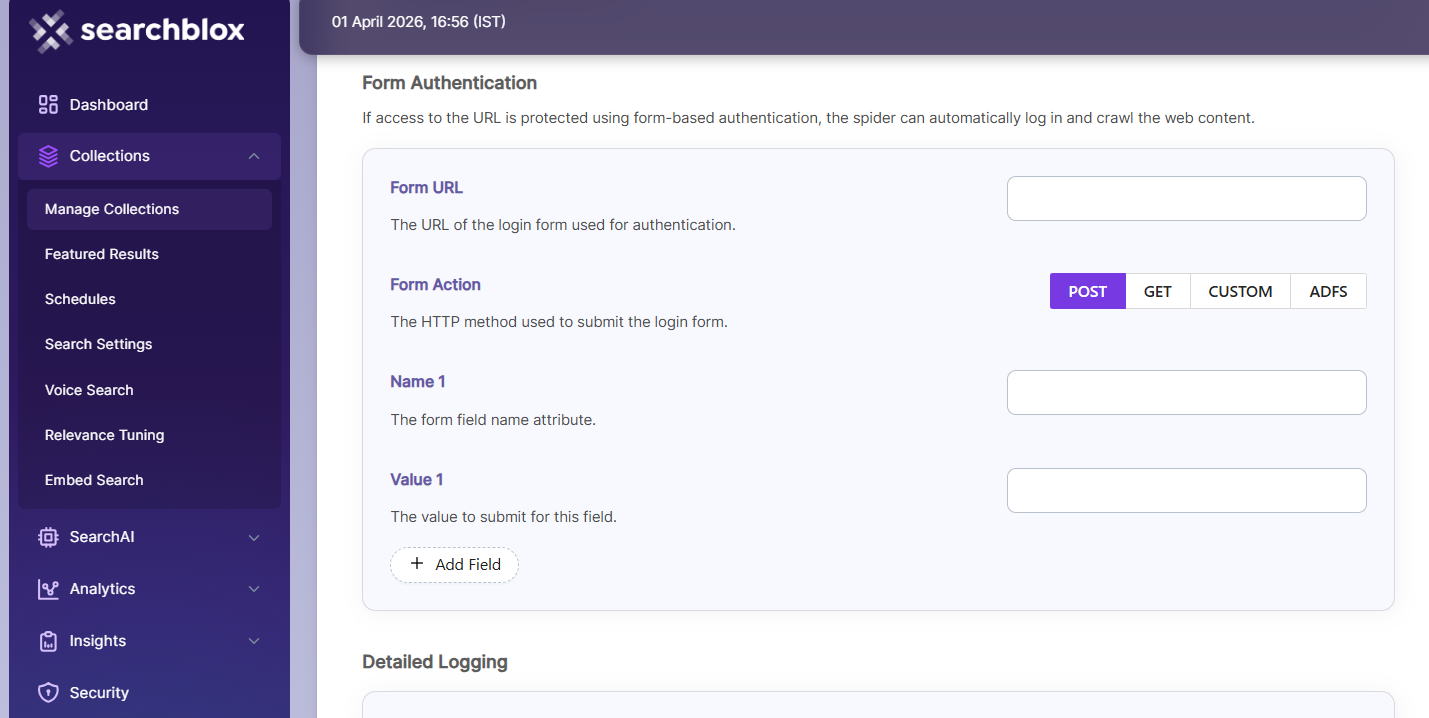
Provide the required form authentication details in WEB Collection settings:
- Form URL
- Select Type as POST
- Name–value pair for username
- Name–value pair for password
- Any other required name–value pairs
-
Save changes
-
Start Indexing
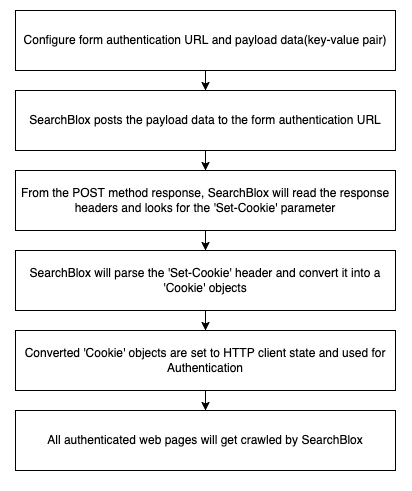
Form Authentication Work Flow
Updated 27 days ago