
Amazon Cognito
Amazon Cognito is a secure search method that authenticates users through your Cognito user pool using OIDC. Only authorized Amazon Cognito users can access the search page, providing a protected way to perform searches within SearchBlox.
Security
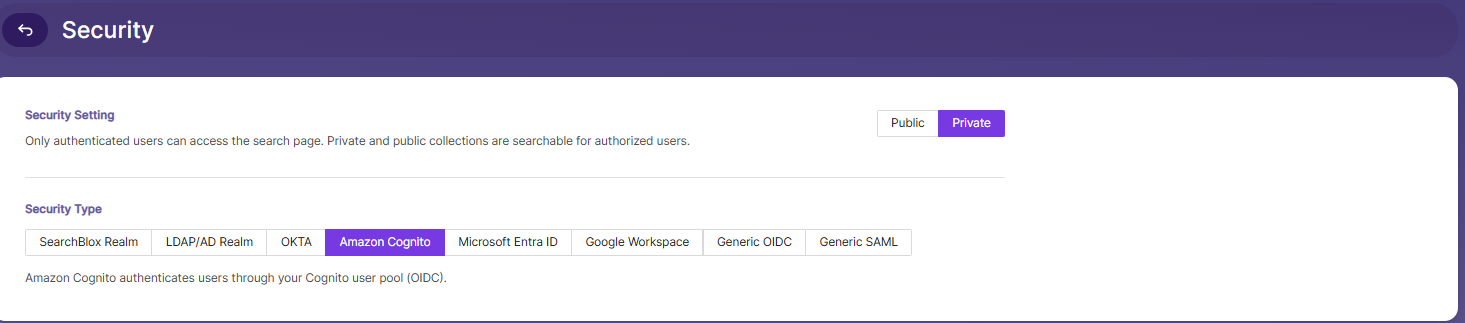
The Security page in the Admin Console allows you to configure how users authenticate and access search results in SearchBlox.
Security Setting
Choose the overall access mode for the search page:
- Public — The search page can be accessed with or without authentication. Both public and private collections are searchable based on their individual access settings.
- Private — Only authenticated users can access the search page. Private and public collections are searchable for authorized users.
Security Type
SearchBlox supports multiple authentication realms/providers for secure search, including SearchBlox Realm, LDAP/AD Realm, OKTA, Amazon Cognito, Microsoft Entra ID, Google Workspace, Generic OIDC, and Generic SAML.
To configure Amazon Cognito as the authentication provider:
- Go to the Security tab in the Admin Console.
- Under Security Type, select Amazon Cognito.
Amazon Cognito authenticates users through your Cognito user pool (OIDC).
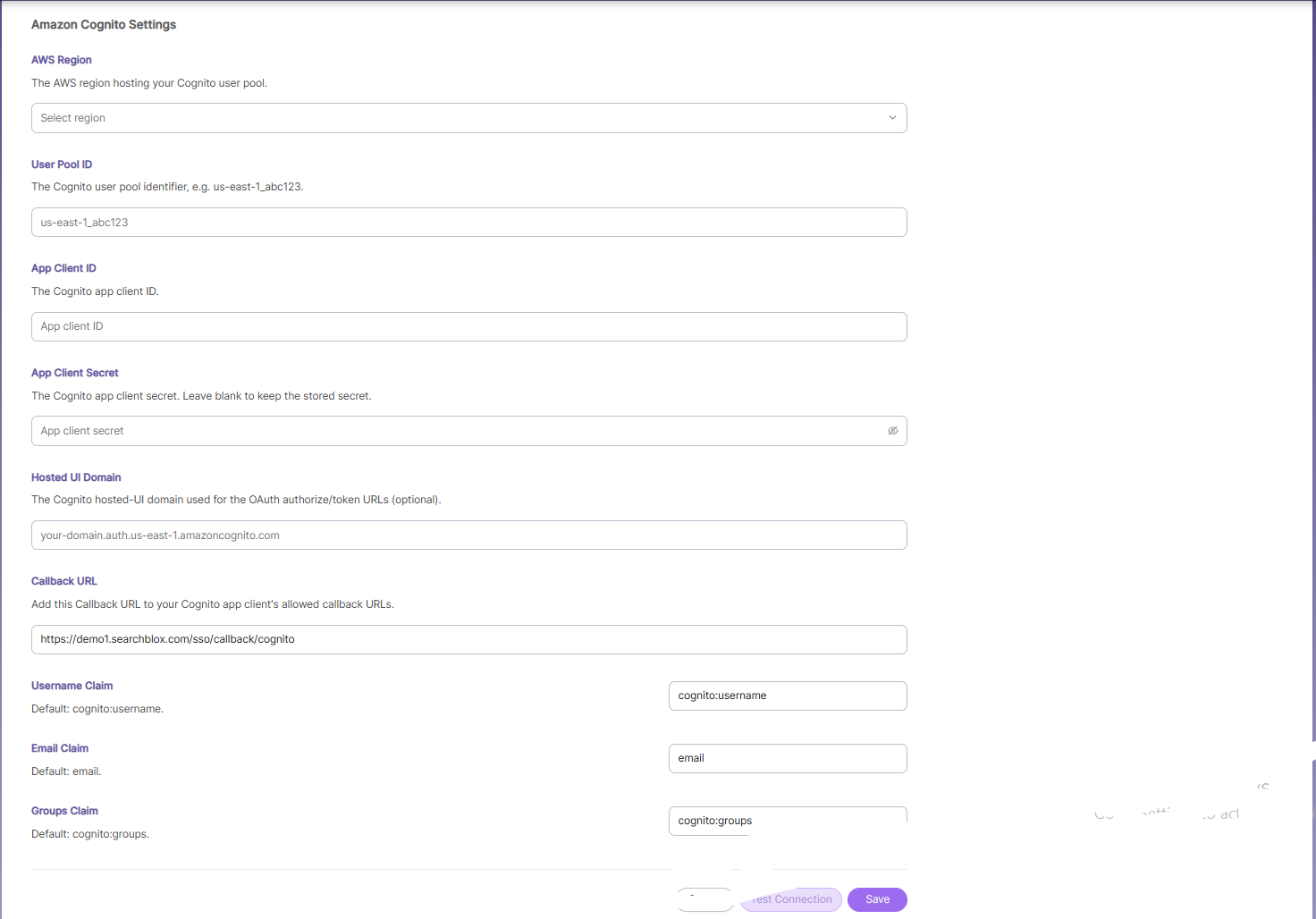
Amazon Cognito Settings
Enter the required Amazon Cognito configuration details in the available fields:
| Field | Description |
|---|---|
| AWS Region | The AWS region hosting your Cognito user pool. Select from the dropdown. |
| User Pool ID | The Cognito user pool identifier (e.g., us-east-1_abc123). |
| App Client ID | The Cognito app client ID. |
| App Client Secret | The Cognito app client secret. Leave blank to keep the currently stored secret. |
| Hosted UI Domain | The Cognito hosted-UI domain used for the OAuth authorize/token URLs (Optional) (e.g., your-domain.auth.us-east-1.amazoncognito.com). |
| Callback URL | The redirect URL SearchBlox uses after authentication (e.g., https://demo1.searchblox.com/sso/callback/cognito). This URL must be added to your Cognito app client's allowed callback URLs. |
| Username Claim | The claim used to map the authenticated user's username. Default: cognito:username. |
| Email Claim | The claim used to map the authenticated user's email address. Default: email. |
| Groups Claim | The claim used to map the authenticated user's groups for group-based access. Default: cognito:groups. |
Once the required fields are configured:
- Click Test Connection to verify the configuration.
- Click Save to store the Amazon Cognito settings.
Note: Ensure the Callback URL shown in SearchBlox is added to the allowed callback URLs list in your Cognito App Client settings, or authentication redirects will fail.
Updated about 1 month ago