
Installation Tuning
To tune the application for high performance, please provide the recommended CPU and Memory based on your documents, number of collections and number of search users.
NotePlease restart the SearchBlox service once after memory tuning to take effect.
1.) Verify the amount of memory allocated and free for SearchBlox and Elasticsearch
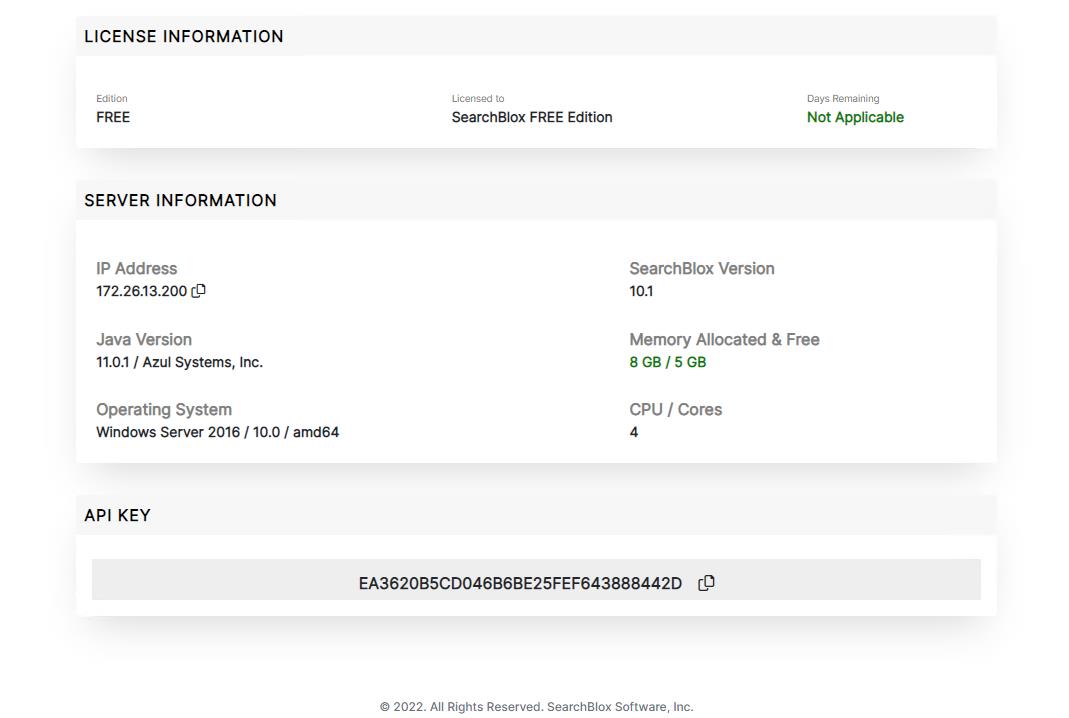
Verify SearchBlox Memory & CPU
- You can verify the memory allocated to SearchBlox in the Admin Dashboard license page
Tune SearchBlox Memory
Go to path <SearchBlox-Installation-Path>\start.d and edit the file jvm.ini to increase the memory as recommended.
To allocate 12GB, you can update below configuration:
-Xms12g
-Xmx12g
Verify Elasticsearch Memory Allocation
-
You can verify the memory allocated to Elasticsearch using the URL: https://localhost:9200/_nodes/jvm?pretty=true
The heap memory allocated in bytes is displayed.
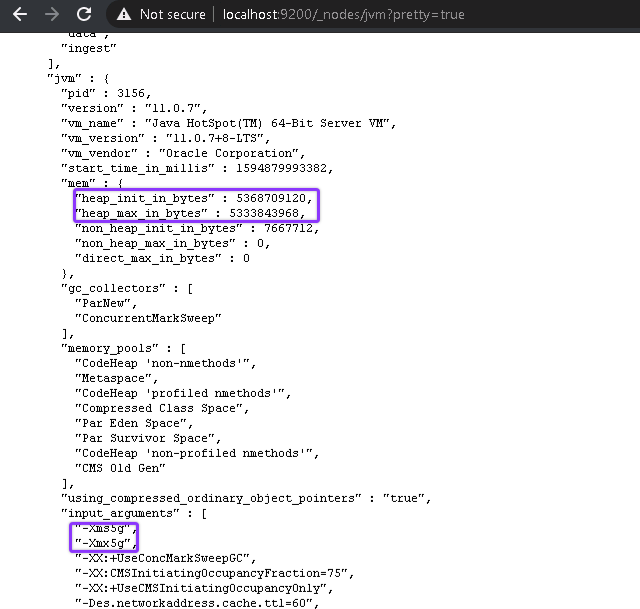
Alternatively, if you use Linux versions of SearchBlox you can use the following curl commandcurl -k -u <elasticsearch-username>:<elasticsearch-password> https://localhost:9200/_nodes/jvm?pretty=true
Tune Elasticsearch Memory
Go to path <SearchBlox-Installation-Path>\elasticsearch\config\ and edit the file jvm.options to increase the memory as recommended.
To allocate 10 GB, you can update below configuration:
-Xms10g
-Xmx10g
Improve Concurrent Collections Indexing
- If you plan to crawl multiple collections simultaneously, you can increase performance by increasing the jetty thread values in
<SEARCHBLOX_INSTALLATION_PATH>/start.d/ - By default, minThreadPool count is 20 and max ThreadPool count is 100. We recommend increasing the thread pool count as shown below for multiple collections with larger datasets.
- Update threadpool.ini with the following snippet at the end of the file and restart the SearchBlox service.
# ---------------------------------------
# Module: threadpool
# Enables the Server thread pool.
# ---------------------------------------
--module=threadpool


### Server Thread Pool Configuration
## Minimum Number of Threads
jetty.threadPool.minThreads=100

## Maximum Number of Threads
jetty.threadPool.maxThreads=450

## Number of reserved threads (-1 for heuristic)
# jetty.threadPool.reservedThreads=-1

## Thread Idle Timeout (in milliseconds)
#jetty.threadPool.idleTimeout=60000

## Whether to Output a Detailed Dump
#jetty.threadPool.detailedDump=false
Updated 20 days ago