
Confluence Data Source
Configuring SearchBlox
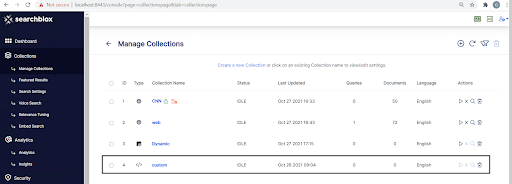
Before using Confluence Data Source, install SearchBlox successfully and create a Custom Collection.
Prerequisites
For Windows:
- Download zoneinfo.zip into any directory (preferably C drive).
https://sbgoclient.s3.amazonaws.com/confluence/confluence_refresh/zoneinfo.zip - Add a system variable named ZONEINFO, and the value should be the path of zone info zip.
For example, System variable name ZONEINFO and value= C:\zoneinfo.zip - Save the Environment variable.
Linux
- Download zoneinfo.zip into /usr.
https://sbgoclient.s3.amazonaws.com/confluence/confluence_refresh/zoneinfo.zip - Go to bash_profile file using the following command:
vi ~/.bash_profile - Add the following in the file and save:
export ZONEINFO=/usr/zoneinfo.zip
Configuration details of Confluence Fresh Run Data Source
Note:In Linux, make sure that necessary permissions have been provided to the folder /opt by using the CHMOD command for writing log files and executing jar files.
| username | User Name for Confluence account |
| password | Encrypted Password for Confluence account |
| data-directory | Data Folder where the data needs to be stored. Make sure it has write permission. |
| api-key | SearchBlox API Key |
| colname | The name of the custom collection in SearchBlox. |
| url | SearchBlox URL |
| confluenceurl | Confluence URL |
| exclude-formats | File formats to exclude. Please give the extension of the file with dot operator as in the example Note: regex not allowed |
| exclude-folders | Folders to exclude in confluence. The subpath folder in the confluence URL to be excluded. Note: regex not allowed, full folder name has to be provided |
| max-folder-size | Maximum size of static folder after which it should be sweeped in MB. |
| log-file-maxSize | Megabytes after which new file is created. |
| og-file-maxBackups | Number of backups after which log file should be deleted. |
| log-file-maxAge | Number of days after which log files should be deleted. |
| Url, servlet url & delete-api-url: | Make sure that the port number is right. If your SearchBlox runs in 8443 port the URLs should be right. |
Updated 26 days ago
Did this page help you?