
License Key
Please contact Support to get a valid license for your software.
NoteSearchBlox setup comes with a default FREE license, allowing you to crawl and search up to 5,000 documents/URLs.
Requesting a License Key
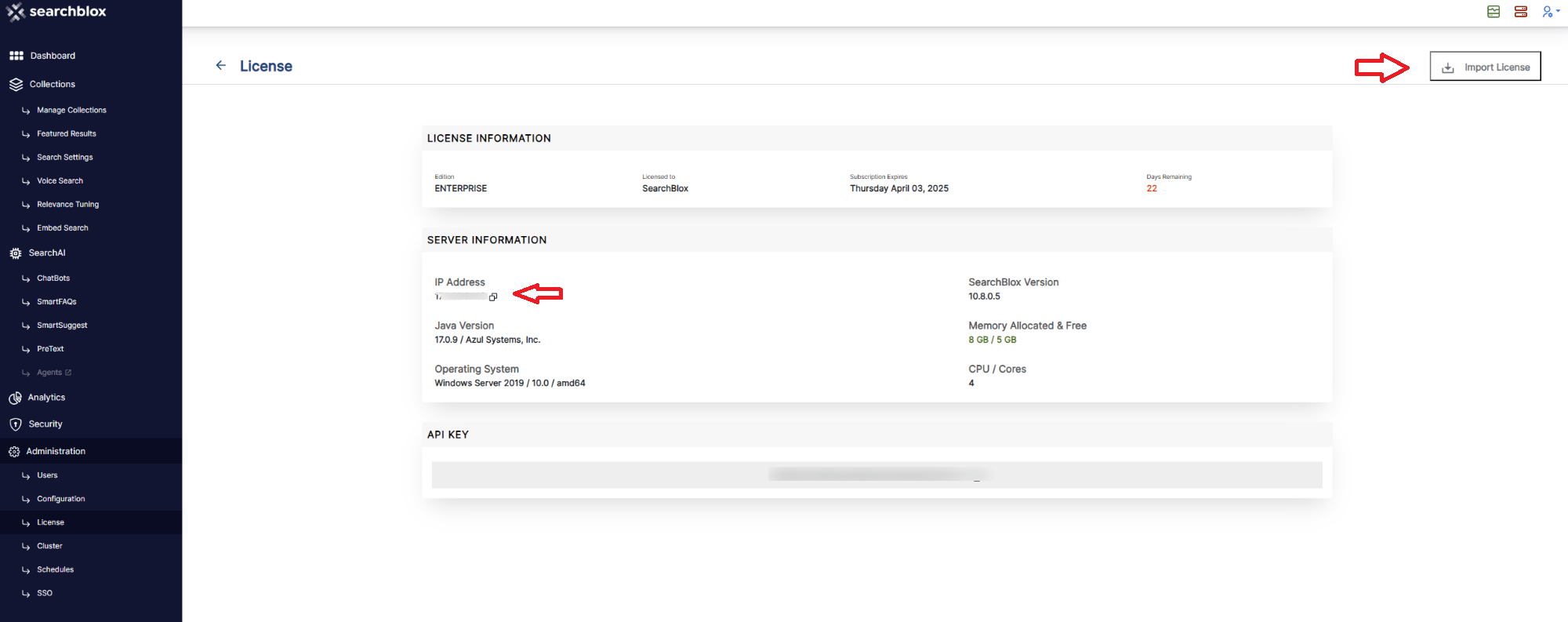
- Navigate to Admin -> License in the SearchBlox console.
- Copy the IP address displayed on the License page.
- Provide this IP address when requesting a license key from Support.
Importing the License Key
- The license key is provided as an XML file.
- Navigate to Administration -> License -> Import License in the Admin console.
- Upload the XML file without modifying its content or extension.
- Successful import requires re-authentication.
Troubleshooting Step:If the IP address displayed is null or 127.0.0.1, then delete the
/etc/hostsfile on the server and restart SearchBlox to pick up the correct IP address of the server.
Updated 28 days ago
Did this page help you?